Friday, March 17, 2023

Can I Play Spotify Music on Twitch? Understanding Twitch's Music Guidelines

You're deep into an intense gaming session on Twitch. The energy is high, your community is chatting like crazy, and you queue up what feels like the perfect background track from your Spotify playlist to keep the vibe going. Sounds ideal, doesn't it? Unfortunately, that one decision could quietly put your entire channel at risk.

In this updated 2026 guide, we'll break down exactly why playing music from Spotify (or similar services) on your Twitch stream is a bad idea and what you should do instead to keep things safe and professional.

Twitch Takes Copyright Seriously

Twitch has clear rules when it comes to music, and they enforce them. You can only use tracks in your streams if you have the explicit rights or proper licensing to do so. This applies whether it's blasting as your main audio or quietly playing in the background during gameplay, transitions, or just-chatting segments.

Services like Spotify, Apple Music, YouTube Music, and Tidal give you a personal listening license only. That means you can enjoy the music privately, but broadcasting it publicly to your viewers violates both their terms of service and Twitch's copyright policies. It's not a gray area — it's a hard no.

Can You Play Spotify Music on Twitch?

The short answer is no.

Playing Spotify tracks during your live stream or in your content opens you up to several real risks:

  • Automatic muting of sections in your VODs and Clips
  • Copyright claims or strikes from rightsholders
  • Potential channel suspensions or outright bans, especially with repeated violations

Modern detection systems are sophisticated. Even a few seconds of recognizable music can trigger flags. There's no "safe" window or low-volume loophole that reliably protects you.

Background Music or Main Attraction — The Rules Are the Same

Whether you're using music subtly under your voice or building an entire music-focused stream, the requirement is identical: the music must be properly licensed for public performance and streaming use. Spotify playlists don't meet that standard, no matter how perfectly they fit your aesthetic.

How to Add Music to Your Streams the Right Way

  1. Choose Properly Licensed or Royalty-Free Music

    Opt for music that is explicitly cleared for live streaming and VOD use on platforms like Twitch. This is the safest and easiest option for most streamers.

    A quick note on royalty-free music: A lot of streamers believe that if a track is labeled "royalty-free," they can just drop it into their stream without paying anything. That's a widespread myth. In reality, royalty-free music still requires you to buy a license or pay a fee upfront before you can legally use it. Many people have this narrative that it's completely free with no cost at all, but it's not. You need that paid license to stay protected and avoid claims.
  2. Use Separate Audio Tracks in OBS or Streamlabs

    This is one of the smartest moves any streamer can make. Route your music to a dedicated audio track in your broadcasting software. Your live audience hears everything, but you can automatically exclude the music track from saved VODs and clips. It dramatically cuts down on muting issues while still letting you create a great atmosphere during the live broadcast.
  3. Display Song Info Without the Audio Risk

    Want to share what you're listening to? Use overlays or browser sources that show the current track title, artist, and album art. Tools like Snaz, Streamlabs, or custom setups pull data without actually broadcasting the audio itself. Your viewers get the vibe, but you stay fully compliant.

Pro Tips for Staying Safe and Sounding Great

Beyond the basics, consider building your own "stream-safe" playlists from licensed sources. Test your setup thoroughly before going live. Many streamers also recommend keeping music volume balanced — supportive but never overpowering your commentary or game audio.

Remember, Twitch's detection isn't perfect, but when it catches something (or when a rightsholder files a claim), it can disrupt your momentum and hurt your growth.

Why It Matters for Your Channel's Future

It's tempting to just hit play on your favorite playlist and keep the good times rolling. But protecting your channel from unnecessary risks is one of the easiest ways to build something sustainable. By using the right tools and music sources, you'll create better content without looking over your shoulder.

Sticking to licensed music not only keeps you out of trouble but often leads to discovering fresh tracks that become fan favorites in your community.

For the most up-to-date official information, always check Twitch’s Music Guidelines page.

Stream smart, stay safe, and keep building that awesome community.

Can You Get Copyrighted on Twitch for Music? Understanding Twitch's Copyright Policy

Twitch is one of the most popular live streaming platforms, allowing creators to broadcast content to a global audience in real time. One of the most frequently asked questions by streamers is whether they can use music on stream without risking a copyright strike. The short answer: you can, but only if the music is properly licensed or royalty-free/DMCA-safe. In this updated 2026 guide, we break down Twitch’s current copyright policy and exactly how to avoid issues.

Understanding Twitch’s Copyright Policy

Twitch takes copyright infringement very seriously and complies with the Digital Millennium Copyright Act (DMCA) and similar global laws. According to Twitch’s official Music Guidelines and Terms of Service, you may not stream or upload content containing copyrighted music unless you own the rights or have secured the proper licenses from the copyright holders.

This includes background music, in-game radio tracks, or any recorded songs from Spotify, YouTube, or other platforms. Violating these rules can result in:

  • Automated muting of VODs and Clips
  • Copyright claims or strikes
  • Channel suspensions (first and second strikes usually result in temporary bans)
  • Permanent channel ban on the third strike under Twitch’s repeat infringer policy

Twitch uses both DMCA takedown notices from rights holders and proactive detection systems. Music claims are one of the most common reasons for strikes, even if the music plays for just a few seconds. There is no “10-second rule” - any detectable copyrighted track can trigger action.

What Does "Royalty-Free" Mean?
Royalty-free music is music you are allowed to use without having to pay the original creator or owner a fee every single time someone listens to your stream (called a "royalty").

Think of it like this: Instead of renting a song for each use (which would cost money every stream), you pay a one-time fee (or sometimes get it for free) and then you can use that song as many times as you want — as long as you follow the rules of the license. It’s “free” from ongoing royalty payments. However, not all royalty-free music is automatically safe for Twitch. Always check that the license specifically allows live streaming and saving VODs/Clips.

How to Avoid Copyright Issues on Twitch in 2026

Here are the proven, up-to-date ways to safely include music in your streams:

  1. Use Royalty-Free or DMCA-Safe Music

    The easiest and most popular solution is to use music that has been cleared specifically for live streaming and VOD archiving. Look for royalty-free music libraries that state their tracks are safe for Twitch streams and archived content. This is the simplest way for most streamers to add music without worry.
  2. Separate Your Audio Tracks in OBS (or Streamlabs)

    This is one of the biggest game-changers for modern streamers. Set up your music on a separate audio track in OBS Studio so it plays during the live stream but is automatically excluded from VODs and Clips. This prevents most music-related muting and claims on your archived content.
  3. Obtain Proper Licenses (Advanced Option)

    If you want to play specific popular or copyrighted tracks, you must get explicit synchronization (sync) licenses from the rights holders. This is time-consuming and expensive for most streamers, so it’s rarely practical unless you’re working directly with artists or labels.
  4. Disable In-Game Music When Necessary

    Many games include licensed music (especially in menus, radios, or cutscenes). Turn off in-game music or use the game’s “streamer mode” options to avoid accidental copyright flags.
  5. Monitor and Act Quickly

    Twitch will notify you of claims via email. Address them immediately. You can also use third-party tools that scan your VODs for potential issues before they go public.

Conclusion

Yes, you can still get hit with copyright claims or strikes on Twitch for using music and the enforcement in 2026 is stricter than ever thanks to improved detection systems. However, by using royalty-free or DMCA-safe music, separating audio tracks, and following Twitch’s guidelines, you can stream with music worry-free and keep your channel protected.

Always double-check the latest rules on Twitch’s official Music Guidelines page and Music Options for Streamers, as policies can evolve. Stay safe, create great content, and keep growing your channel!

Can You Subscribe to Twitch for Free? Exploring Twitch Subscription Options

Imagine cheering on your favorite Twitch streamer with exclusive emotes, a shiny subscriber badge next to your name, and that satisfying feeling of knowing your support helps them keep creating. All without spending a dime every month. If the idea of free Twitch subscriptions sounds too good to be true, you are in good company. Plenty of viewers want to back the creators they love but cannot swing the monthly fee. The good news is you can subscribe to Twitch for free, at least on a limited but reliable basis. Let us break down exactly how it works in 2026 and which options give you the most value.

Twitch Subscription Options Today

Twitch offers two main paths to become a subscriber: paid tiers and the free option tied to Amazon Prime Gaming. Paid subscriptions remain the most direct way to support streamers long term. In the United States, Tier 1 runs $5.99 per month, Tier 2 is $9.99, and Tier 3 sits at $24.99. These unlock channel specific perks such as custom emotes, subscriber only badges, priority in chat, viewing without ads on that channel, and sometimes exclusive streams or giveaways.

Prime Gaming, included with any Amazon Prime membership, flips the script. It gives you one completely free channel subscription every month. That free sub delivers the exact same benefits as a paid one. You get the emotes, badges, the works while still putting money in the streamer pocket. The only catch is you have to claim it fresh each month on a participating channel. Nearly all affiliates and partners qualify.

free sub on twitch

How to Subscribe for Free Every Month with Amazon Prime Gaming

If you already pay for Amazon Prime, you are sitting on one of the simplest ways to support Twitch creators at no extra cost. Here is exactly how to claim your free sub in 2026:

  • Head to twitch.tv/prime and click the big Connect button to link your Amazon and Twitch accounts.
  • Once linked, open any participating streamer channel in your web browser.
  • Click the purple Subscribe button.
  • In the pop up, scroll down and check the box that says Use Prime Sub.
  • Hit Subscribe with Prime and you are in. Free for the next 30 days.

Pro tip: The free sub does not auto renew on the same channel. Mark your calendar or set a quick reminder to claim it every month. You can switch channels each time or stick with the same favorite. Your choice. This method is perfect for anyone who already enjoys Prime perks like free shipping and streaming.

Earn Amazon Gift Cards Through Microsoft Rewards to Fund Even More Subs

Do not have Amazon Prime? No problem. Another clever low effort route uses Microsoft Rewards. Simply searching the web with Bing, completing daily tasks, and knocking out quick bonuses earns you points that add up fast.

Once you hit 10500 points, you can redeem a $10 Amazon gift card. Stack a few of those and you are looking at enough credit to buy a $25 Twitch Gift Card (US Only) on Amazon. Redeem the Twitch card directly in your account and use it for a paid subscription or to send Bits to your favorite streamers.

Here is a screenshot of the Amazon $10 Gift Card reward:

Amazon Gift Card

To grab that $10 Amazon gift card, visit the Microsoft Rewards redemption page. From there, you can purchase a $25 Twitch Gift Card (US Only) on Amazon here (As an Amazon Associate I earn from qualifying purchases) and you are set. It is not instant free access like Prime, but it turns everyday internet habits into real support for the creators you watch.

Why These Options Matter and a Few Extra Tips

Subscribing, even for free, does more than just unlock perks for you. It tells Twitch algorithm that your streamer matters and helps them earn a bigger share of ad revenue and platform support. In a world where many creators rely on community generosity to keep the lights on, every sub counts.

Quick tips to get the most out of it:

  • Always claim your Prime sub early in the month so you never miss out.
  • Link your accounts once and you are good. Prime Gaming works across desktop and mobile.
  • With Microsoft Rewards, knock out the daily set and search on both desktop and mobile for maximum points.
  • Stack gift cards when they are on sale or combine them with any Amazon credit you already have.

Remember, these methods are not about getting something for nothing forever. They are smart ways to show appreciation without stretching your budget.

In the end, while Twitch does not offer unlimited free ongoing subscriptions, Amazon Prime Gaming and Microsoft Rewards make it genuinely possible to subscribe for free or nearly free on a regular basis. Whether you are using your existing Prime membership or earning gift cards through simple searches, you can keep supporting the streamers who brighten your days and enjoy all those subscriber perks along the way. Pick the route that fits your routine, claim that free sub this month, and watch the community you love keep thriving.

Is It Safe to Use Twitch? A Comprehensive Guide to Staying Safe on the Live Streaming Platform

Every day, millions of people fire up Twitch to catch their favorite streamers, join lively chats, and feel part of vibrant communities. Whether it’s high-stakes gaming, creative art sessions, or just casual hangouts, the platform delivers nonstop entertainment. But as with any popular online space, questions about safety naturally come up. Is Twitch safe to use in 2026? The answer is generally yes, but staying protected requires a bit of know-how and common sense.

Is Twitch Safe?

Twitch works hard to maintain a welcoming environment through its Community Guidelines and ongoing investments in safety tools. In early 2026, the platform modernized its enforcement system with more targeted penalties that better match the severity of violations. This helps create fairer, more effective moderation without the old all-or-nothing approach.

That said, no platform is risk-free. Potential issues include toxic chat messages, harassment, phishing attempts through suspicious links, and the rare chance of account compromises. The good news? With the right settings and habits, you can greatly minimize these risks and enjoy Twitch worry-free.

Twitch’s Built-In Safety Features

Twitch offers several powerful tools to help users stay safe:

  • AutoMod: This machine learning-powered system automatically holds back potentially inappropriate or harassing messages for moderator review before they appear in chat.
  • Reporting Tools: Easy one-click reporting for bad behavior, with batch options for moderators.
  • Two-Factor Authentication (2FA): Essential for locking down your account against hackers.
  • Chat and Privacy Controls: Streamers can set follower-only chat, slow mode, and customize who can interact.

The platform also maintains a dedicated Safety Center with guides for parents, streamers, and viewers.

Tips for Staying Safe on Twitch

Here are practical steps to keep your experience positive and secure:

  1. Keep Your Personal Information Private: Never share your full name, address, phone number, or other sensitive details in chat, bios, or direct messages. Think twice before revealing your location or daily routines on stream. staying safe
  2. Report Inappropriate Behavior Immediately: Spot harassment, hate speech, or rule-breaking? Use Twitch’s reporting system right away. Quick reports help the platform take action fast.
  3. Enable Two-Factor Authentication: Head to your account settings and turn on 2FA. It adds a critical extra layer of security that makes it much harder for hackers to break in, even if they steal your password.
  4. Be Extremely Cautious with Links and Messages: Never click suspicious links in chat or DMs. Scammers often use them to spread malware or steal login info. When in doubt, ignore and report.
  5. Use a Strong, Unique Password: Combine letters, numbers, and symbols. Use a password manager to create and store unique credentials for Twitch separate from your other accounts.
  6. Take Advantage of Moderation Tools: If you stream, activate AutoMod at a moderate or higher level and recruit trustworthy moderators. Adjust chat settings like follower-only mode during busy streams.
  7. Review Your Privacy Settings Regularly: Control who can send you whispers (DMs), view your email, or access certain info in your profile.

Final Thoughts

Twitch can be an incredibly fun and rewarding place when you approach it with awareness and the right protections in place. By following these tips and utilizing the platform’s safety features, you’ll be well-equipped to dodge common pitfalls and focus on what matters most – enjoying great content and connecting with like-minded people.

Stay vigilant, look out for one another, and don’t hesitate to use the report button when something feels off. With a little effort, Twitch remains a safe and welcoming corner of the internet for millions of users worldwide.

Why Do People Use Twitch? The Benefits of Using the Live Streaming Platform

Twitch has grown into a daily destination for millions of people around the world. What started as a simple gaming platform has developed into a vibrant space filled with entertainment, learning opportunities, and real human connection. With well over 240 million monthly users and around 35 million people watching daily, it is easy to see why so many keep coming back. If you have ever wondered what makes this live streaming platform so special, here are the main reasons and benefits that keep viewers hooked.

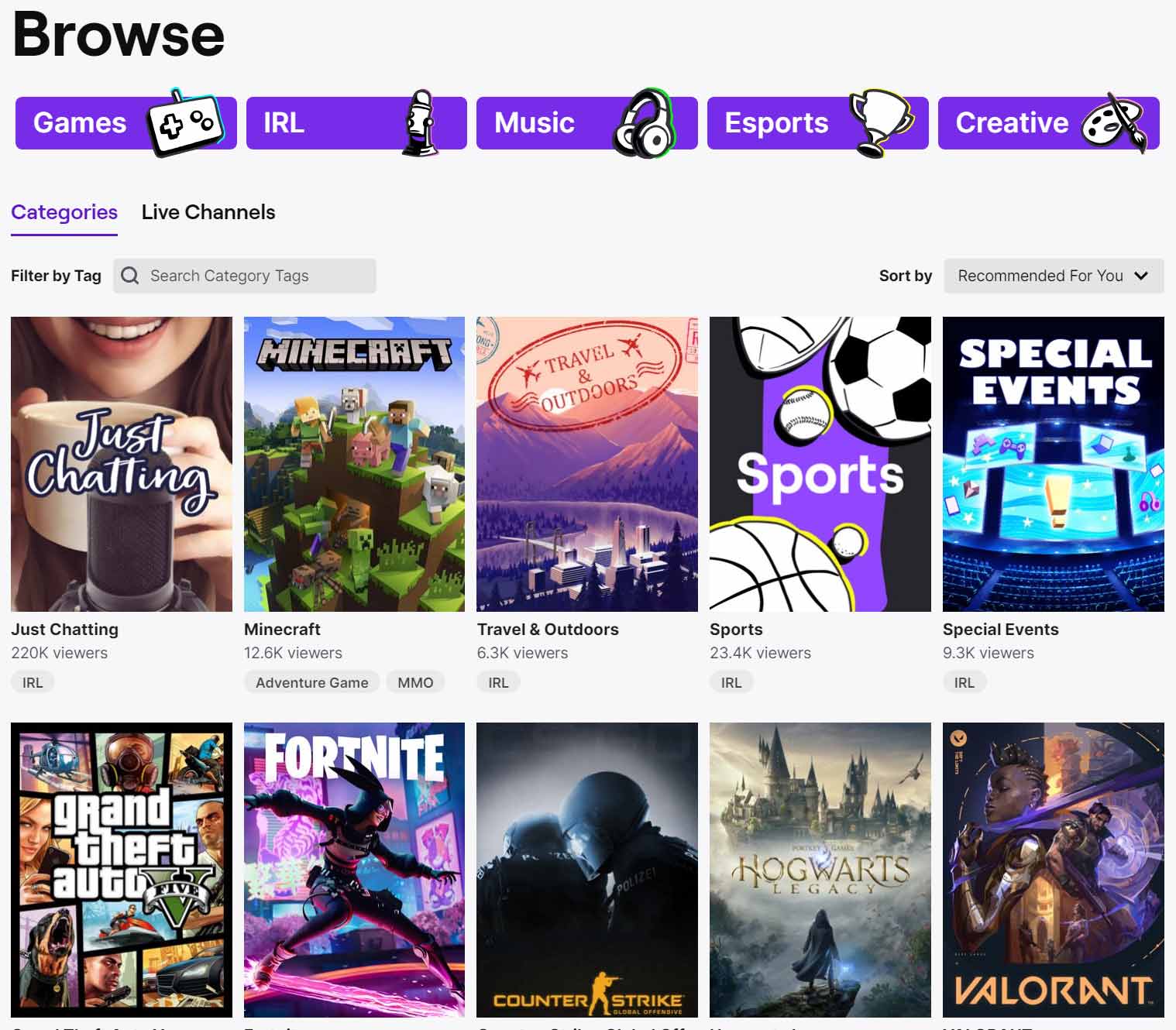
twitch directory browse

Connect with Like Minded People

One of the strongest attractions on Twitch is the powerful sense of community it creates. No matter what you are into, from competitive gaming and esports to music, art, or casual conversation streams, you can find others who share your passion. Categories like Just Chatting continue to attract huge audiences, and new types of content keep emerging.

Real time chat allows you to interact directly with both the streamer and other viewers from around the globe. This turns watching into an active and social experience rather than passive viewing. Many people build real friendships, join group chats that extend beyond the platform, and discover a welcoming space they return to every day. The improved mobile experience in 2026 makes it even easier to join in and feel part of something bigger.

Learn Tips and Techniques from Experienced Creators

Twitch functions as a live learning hub. Many top streamers are highly skilled in their areas, and watching them work gives viewers a front row view of expert techniques. You can ask questions in chat and receive immediate feedback from both the creator and the community.

This interactive style goes well beyond gaming. People learn creative skills, fitness routines, cooking methods, and even professional advice during different streams. The ability to learn in real time and get instant responses makes the platform far more effective than traditional video tutorials for many viewers.

Enjoy Live Events and Exclusive Performances

Twitch gives you front row access to exciting live events. From major esports tournaments to live music shows and special creator hosted experiences, the platform regularly delivers moments you cannot find anywhere else. Many of these events remain exclusive to Twitch.

In 2026 the variety keeps expanding with new integrations and innovative streaming formats. Streamers also create their own unique events such as charity streams, extended question and answer sessions, and themed broadcasts. This combination of big productions and personal creator moments keeps the content feeling fresh and engaging.

Support Your Favorite Creators in Meaningful Ways

Supporting streamers is another major reason people use Twitch. The platform offers multiple ways to contribute, including subscriptions, donations, channel points, and merchandise purchases. These tools help creators keep producing high quality content and growing their channels.

When you subscribe or send support, you often receive benefits like viewing without advertisements and special emotes. Many viewers enjoy knowing their contributions help streamers turn their passion into a full time career. New features continue to make this support more direct and rewarding for everyone involved.

Why the Twitch Experience Stands Out in 2026

Twitch has continued to improve while staying true to its original spirit of live interaction and community. Better mobile tools, smarter content recommendations, and helpful features for creators have made the platform smoother than ever. Yet the heart of the experience remains the same: real people connecting in the moment.

Most viewers stay for long sessions because they are not simply watching content. They are actively taking part in it. This unique blend of entertainment and participation is what separates Twitch from other streaming services.

Ready to Get Started?

Twitch offers much more than videos. It delivers belonging, skill building, excitement, and the satisfaction of supporting creators you enjoy. With hundreds of millions of people already involved, the platform shows no signs of slowing down. Open the app or website, explore the categories, and find your new favorite streams and communities today.

Is Twitch.tv Free to Watch? Everything You Need to Know

Ever fired up your laptop or phone late at night, craving something live, interactive, and completely free? Maybe a high stakes Fortnite match, a relaxed art session, or a musician jamming in real time? That is exactly what Twitch.tv delivers every single day without asking for your credit card.

DaOpa Twitch Live Stream

What Is Twitch.tv Today?

Twitch launched in 2011 as a simple place for gamers to broadcast their gameplay live. It quickly exploded in popularity and was acquired by Amazon in 2014. Fast forward to 2026, and Twitch has grown into one of the biggest live streaming platforms on the planet. Gaming and esports are still front and center, but you will also find massive communities around Just Chatting, music performances, creative art, IRL streams, cooking, sports, and even talk shows. Millions of people tune in every day to hang out with streamers and fellow viewers in real time.

Is Twitch.tv Free to Watch?

Yes, it is completely free to watch. You do not need to pay anything to browse, search, or enjoy live streams. No monthly fee, no hidden charges, and no subscription required just to view content. The platform makes its money primarily through ads and optional extras from creators, but the core experience of watching is completely open to everyone.

One quick note for complete transparency: like most free platforms, Twitch does show video ads that play before a stream starts and sometimes during the stream. There are also newer ads that appear when you pause a stream. If you want to skip all of that, you can upgrade to Twitch Turbo for an ad free option across the whole site or subscribe to individual channels for viewing without ads on those specific streams. But again, none of that is required to enjoy the platform.

How to Watch Twitch.tv for Free in 2026

Getting started could not be easier. All you need is a decent internet connection and any device, laptop, desktop, smartphone, tablet, or even a smart TV.

  • Web browser: Simply go to twitch.tv and start browsing.
  • Mobile apps: Download the official Twitch app from the Apple App Store or Google Play Store for a smooth, optimized experience on your phone or tablet.
  • Smart TV or consoles: Twitch apps are available on most modern smart TVs, PlayStation, Xbox, and even streaming devices like Roku or Fire TV.

Once you are on the site or app, use the search bar to find specific streamers, games, or categories. You can also browse the homepage for trending streams or explore popular categories like Gaming, Just Chatting, Music, or Creative. No account is needed to watch, but signing up for a free account unlocks chat participation, following your favorite streamers, and getting notifications when they go live.

Why People Love Watching Twitch Even in 2026

Watching Twitch is not just passive entertainment. It feels like hanging out with friends. You can learn new game strategies from top players, pick up art techniques during live drawing sessions, discover fresh music, or simply enjoy the lively chat that makes every stream unique. The real time interaction is what sets it apart from pre recorded videos on YouTube or Netflix.

Beyond gaming, the platform has become a go to spot for creators of all kinds. Whether you are into fitness streams, book clubs, tech reviews, or just casual conversations, there is a corner of Twitch built exactly for your interests. Many viewers say it is the sense of community that keeps them coming back night after night.

Pro Tips to Get the Most Out of Free Twitch Viewing

Want to level up your experience without spending money?

  • Follow streamers you enjoy so you never miss a live notification.
  • Use the Raids feature. When one stream ends, the community often gets sent together to another live channel for even more fun.
  • Participate in chat politely to feel part of the conversation.
  • Check out Clips and highlights on streamers channels to catch the best moments quickly.
  • Explore the Discover tab for new creators who match your vibe.

Final Thoughts

Twitch.tv remains one of the best free entertainment platforms available in 2026. Whether you are a hardcore gamer, a casual viewer looking for something different, or just curious about live streaming, there is truly something for everyone and it costs nothing to dive in.

So grab your favorite device, head over to Twitch, and start exploring. You might just find your new favorite streamer, maybe even one like DaOpa keeping the community entertained. Happy watching!

Thursday, March 16, 2023

most important thing to focus on as a streamer

As a Twitch streamer pushing your content in 2026, there is one thing that still towers above everything else: building a real engaged community. With millions of channels live every month and the platform shifting more toward retention than raw discovery, flashy graphics or perfect gameplay alone will not cut it. Viewers today crave connection, and the streamers who treat their audience like friends instead of just numbers are the ones who stick around and actually grow.

most important thing to focus on

The good news is you do not need a huge budget or viral luck to make it happen. Focus on three proven pillars: consistency, live interaction, and genuine value. Do this right and you will create a loyal group that shows up, chats, raids with you, and sticks around between streams.

Why a Consistent Schedule Still Wins in 2026

Viewers lead busy lives, and the algorithm rewards predictability. Set a realistic streaming calendar, three to five days a week works best for most growing creators, and stick to it like clockwork. Post your schedule on your channel panels, Discord, and socials so everyone knows exactly when to tune in. That routine builds anticipation and turns casual drop ins into reliable regulars who plan their evenings around your stream.

Turn Viewers Into Friends Through Real Engagement

Engagement is not just saying hi when someone follows. It is remembering the regular who mentioned their dog last week, asking about their exam results, or laughing together over an inside joke that started in chat. Respond to questions, read every message out loud when possible, and make every viewer feel seen. In 2026, tools like Channel Points, Polls, Predictions, and Sound Alerts make interaction effortless. Let viewers vote on your next game, trigger funny sound effects, or control small moments in the game. The more they participate, the more they invest emotionally.

Do not forget moderation either. A welcoming chat sets the tone. Use Twitch built in tools or a small mod team to keep things positive and inclusive. When toxicity stays out, good people stay in.

Give Your Audience Something They Cannot Get Anywhere Else

Entertainment alone is not enough anymore. The streamers thriving right now deliver unique value that keeps people coming back for more than just the game. Here is how to do it effectively:

  1. Share smart, helpful commentary. Break down your strategy, explain game mechanics, or drop quick tips that help viewers improve. Whether you are climbing ranks or exploring a cozy game, turning your stream into a mini masterclass keeps it educational and entertaining.
  2. Create an inclusive, positive vibe. Enforce clear chat rules, celebrate diversity, and call out kindness. When people feel safe and welcome, they open up, share more, and bring their friends.
  3. Make interaction the main event. Run community challenges, viewer submitted stories, or live questions and answers segments. Let chat decide your next build in a creative stream or join you in a group game night.
  4. Teach what you know best. Got cooking skills? Host a cook with chat stream. Love music production? Break down a track live. Fitness enthusiasts? Turn your workout into a group motivation session. Sharing real expertise turns casual viewers into dedicated students.
  5. Offer meaningful perks for supporters. Subscribers and active followers deserve extras: exclusive Discord roles, custom emotes, shoutouts, or even one on one coaching calls. These small touches create a sense of belonging that goes far beyond the sub badge.

Take Your Community Beyond the Stream

Twitch is where the magic happens live, but the real bonds form in your Discord server. Make it the home base away from the stream: share behind the scenes clips, run giveaways, host voice chats, and keep the conversation going around the clock. Many top creators now treat Twitch as the inner circle experience while using TikTok, YouTube Shorts, and Twitter for discovery. Post highlight clips daily, collaborate with similar sized streamers through raids and collabs, and watch your community grow organically.

The Long Game Pays Off

Building a loyal Twitch community takes time, but it is the only sustainable path to growth in 2026. Focus on relationships instead of chasing follower counts, deliver consistent value, and watch your channel transform from a solo stream into a lively hangout spot full of friends. Start small, stay genuine, and those early regulars will become your biggest advocates, bringing new people, cheering you on, and making every stream feel like home.

Ready to level up? Pick one thing from this list today, maybe locking in your schedule or setting up your first Channel Point reward, and watch how quickly the energy in your chat changes. Your community is waiting.