Showing posts with label Lists. Show all posts
Friday, August 11, 2023

Chat Safety 101: How to Ban Dodgy ASCII Text on Twitch!

How to Block Braille Spam and ASCII Art in Twitch Chat (2026 Guide)

Twitch chat is a lively place, but some users spam with Braille characters (those special Unicode symbols like ⣿ or ⠿) to create annoying ASCII-style art or bypass normal filters. These messages are hard to read, clutter chat, and ruin the experience for everyone.

block terms and phrases on twitch

In this updated 2026 guide, we show you the fastest way to block these characters using Twitch’s built-in tools so your chat stays clean and welcoming.

Step 1: Open Your Creator Dashboard

  • Go to www.twitch.tv and log in
  • Click your profile picture in the top-right corner
  • Select Creator Dashboard

Step 2: Go to Moderation Settings

  • In the left sidebar, click Settings
  • Then click Moderation

Step 3: Add Blocked Terms and Phrases

  • Scroll down to the section called Blocked Terms and Phrases
  • In the text box, type or paste the Braille characters you want to block
  • Click Add

You can add one term at a time. Twitch allows up to 1,000 blocked terms, so you do not have to add every single Braille character — just the ones commonly used for spam.

Recommended Braille Characters to Block (Most Effective)

Here are the most commonly spammed ones. Copy and paste them one by one:

⣿ ⣿ ⠿ ⠋ ⠙ ⠹ ⠸ ⠼ ⠴ ⠦ ⠧ ⠇ ⠏ ⠟ ⠞ ⠾ ⠽ ⠻ ⠫ ⠪ ⠩ ⠨ ⠧ ⠦ ⠥ ⠤ ⠣ ⠢ ⠡ ⠠ ⣿

Pro tip: Start with the most common one: (full Braille block). Most spam uses this or a few variations.

Step 4: Adjust AutoMod Level for Extra Protection

  • In the same Moderation settings, find AutoMod Controls
  • Set the moderation level to Medium or High depending on how strict you want to be
  • Turn on Block Hyperlinks if you want to stop link spam too

Pro Tips for Cleaner Chat in 2026

  • Use a bot like Nightbot or StreamElements alongside AutoMod — they can catch even more patterns
  • Train your moderators to use the /timeout or /ban commands quickly when spam slips through
  • Regularly review your Blocked Terms list and add new spam patterns as they appear
  • Combine this with a clear chat rules message pinned in your channel

Frequently Asked Questions

Do I really need to block every single Braille character?

No. Blocking the most common ones (especially ⣿) stops 95% of the spam. Adding all 256 is usually overkill.

Does this block normal users who might use Braille?

Very rarely. Legitimate users almost never type full Braille blocks in chat. It mainly catches trolls and bots.

Can viewers still see the blocked messages?

No. Messages containing blocked terms are automatically hidden from everyone in your chat.

Final Thoughts

Blocking Braille and ASCII art spam is one of the quickest ways to keep your Twitch chat friendly and readable. With Twitch’s built-in Blocked Terms feature, you can stop this annoyance in under two minutes.

Take a few minutes today to add the most common characters and adjust your AutoMod level. Your community will thank you for a cleaner, more enjoyable chat experience.

If you notice new spam patterns appearing, drop them in the comments below and I will update the recommended list.

Related: How to Block Words on Twitch

Happy streaming and happy moderating!

Thursday, August 10, 2023

chat rules examples

Best Twitch Chat Rules Examples for 2026 (Copy-Paste Ready + Pro Setup Guide)

Creating clear Twitch chat rules is one of the smartest things any streamer can do. Good rules keep your chat positive, reduce moderation workload, and help new viewers feel welcome right away.

In this complete 2026 guide, you will find ready-to-use Twitch chat rule examples, a professional copy-paste template, tips on how to display the rules on stream, and step-by-step instructions on how to set them up in your Creator Dashboard.

Why Every Streamer Needs Strong Chat Rules

Well-written rules reduce spam, prevent arguments, protect your community, and make moderation easier for you and your mods. They also show new viewers that your channel is a safe and friendly place.

Complete Twitch Chat Rules Template (Copy & Paste Ready)

Here is a professional, battle-tested set of rules you can copy directly into your stream overlay, panels, or pinned chat message:

Core Twitch Chat Rules

  1. Be Respectful – No hate speech, harassment, slurs, or personal attacks.
  2. No Spamming – Avoid excessive caps, repeated messages, emotes, or symbols.
  3. Stay On Topic – Keep chat related to the stream and the streamer’s content.
  4. No Self-Promotion – Do not post your own links, channels, or socials without permission.
  5. No Spoilers – Never spoil games, movies, or shows unless the streamer says it’s okay.
  6. No Backseating – Do not give unsolicited gameplay advice unless the streamer asks.
  7. Respect Moderators – Follow instructions from mods immediately and respectfully.
  8. Be Inclusive – Use kind and inclusive language. No discrimination of any kind.
  9. No Trolling – Do not intentionally provoke or upset others.
  10. No Begging – Do not beg for subs, bits, follows, or raids.
  11. Keep It English – Primary chat should be in English for moderation and inclusivity.
  12. No Politics or Religion – Keep the chat focused on gaming and fun.

How to Display Your Chat Rules on Stream

  • Pin the rules in chat (use a bot command like !rules)
  • Add a clean rules panel on your channel page
  • Show the rules on your stream overlay or starting soon screen
  • Have your bot automatically post the rules every 30–60 minutes

How to Set Up Chat Rules in Twitch (2026 Step-by-Step)

  1. Go to www.twitch.tv and log in
  2. Click your profile picture → Creator Dashboard
  3. In the left menu, click Settings
  4. Click Moderation
  5. Scroll down to the Chat Rules section
  6. Click Edit and paste or type your rules
  7. Click Save

Your rules will now appear automatically when viewers open the chat rules dropdown.

Pro Tips for Better Chat Moderation in 2026

  • Keep rules short and easy to read (10–12 rules maximum)
  • Use positive language (“Be respectful” instead of just “No hate”)
  • Review and update your rules every few months
  • Make sure all your moderators know and follow the same rules
  • Use AutoMod + Blocked Terms for extra protection against spam
  • Consider creating a separate !rules command with Nightbot or StreamElements

Frequently Asked Questions

How many rules should I have?

Most successful channels use 8–12 rules. Too many and viewers stop reading them.

Should I make rules stricter for bigger channels?

Yes. As your channel grows, you usually need slightly stricter rules to maintain quality chat.

Can I add my own custom rules?

Absolutely. The template above is a starting point - customize it to match your community’s vibe.

Final Thoughts

Strong, clear Twitch chat rules are one of the easiest ways to build a healthy, fun, and loyal community. They save you hours of moderation time and help new viewers feel safe and welcome from the very first message.

Take a few minutes right now to copy the template above, customize it, and add it to your channel. Your chat (and your moderators) will thank you.

Need help customizing your rules or setting up a bot command? Drop your channel type or style in the comments below and I’ll help you create the perfect set of rules.

Happy streaming and happy moderating!

Thursday, March 16, 2023

IRL Backpack gear

General idea of what gear is commonly used to create an IRL streaming backpack with camera and other necessary equipment. The specific gear you choose will depend on your budget, streaming needs, and personal preferences.

Peak Design IRL Backpack

Here are some commonly used components:

  1. Camera: A high-quality camera is a must-have for IRL streaming backpacks. Popular options include the Sony A7 III, Sony RX100 VII, or Canon EOS R.
  2. Microphone: Good audio is just as important as good video, so a high-quality microphone is essential. Options include the Rode VideoMic Pro Plus or the Sennheiser MKE 600.
  3. Mobile hotspot: To maintain a reliable internet connection, you'll need a mobile hotspot. The Netgear Nighthawk M1 is a popular option.
  4. Battery packs: You'll need plenty of battery packs to keep all of your equipment powered throughout the day. The Anker PowerCore+ 26800mAh is a popular choice.
  5. Backpack: You'll need a backpack that can hold all of your equipment and keep it safe while you're on the go. The Peak Design Everyday Backpack or the Lowepro ProTactic BP 450 AW II are good options.
  6. Tripod or stabilizer: A tripod or stabilizer is essential for keeping your camera steady and reducing shaky footage. Options include the DJI Ronin-S or the Joby GorillaPod.
  7. Lighting: Depending on your streaming environment, you may need additional lighting to improve the quality of your video. The Lume Cube 2.0 or the Aputure AL-M9 are popular options.
  8. Other accessories: Additional accessories you may need include memory cards, cables, and adapters.

Disclosure: We participate in the Amazon Services LLC Associates Program, which allows us to earn a commission through qualifying purchases made using our affiliate links on this post.

Remember, this is just a general list of components, and you may need to add or remove items based on your specific needs and preferences.

Some information on using special IRL modems with multiple SIM cards to achieve better internet connectivity for IRL streaming.

One popular device used for this purpose is the LiveU Solo, which allows you to bond up to four SIM cards from different carriers to achieve a more stable and reliable internet connection. The Solo works by aggregating the bandwidth from each SIM card, so you have a more consistent and faster internet connection, even in areas with poor signal strength.

Other options include the Teradek Bond, which is similar to the LiveU Solo in terms of bonding multiple SIM cards together, and the Peplink MAX Transit, which is a router that can accept up to four SIM cards and provides load balancing and failover capabilities.

When using a device that aggregates multiple SIM cards, it's important to have a good understanding of the local cellular network coverage and the bandwidth limitations of each carrier. It's also important to have a plan in place for managing your data usage, as streaming video can consume a lot of data quickly.

Overall, using a specialized IRL modem with multiple SIM cards can help ensure a more reliable and stable internet connection for IRL streaming, which is essential for providing a high-quality viewing experience for your audience.

Thursday, December 13, 2018

How to get free game keys sponsor for your twitch stream!

Listed here are a couple of websites that provide the link between game companies, developers and content creators to connect for sponsorships. If you are a streamer, you should definitely think about joining in on these sites for possible free game keys and more. The more viewers, followers and content generation you create, the more sponsorship doors open up.

Guide on how to get free game keys for live streaming and video content creation.

Game developers are looking for influencers to play their games on live streams and on videos for youtube. What makes these services very helpful is how they screen out fake content creators. Each content creator supplies connections to their Twitch, Youtube, Social Media and other accounts which then pulls in data to verify the authenticity and traffic levels of the content creators.

Here are some of the services I use for my stream!

1. Keymailer - key distribution platform and other offers.

3. Noiz.gg - distributes keys, sponsorship opportunities


4. Terminals.io - key distribution platform, PR


5. Gamesight.io - key distribution platform, PR


6. Arsenal.gg - analytics, key distribution platform


7. Xsolla - keys, affiliate programs, performance-driven
Xsolla Influencer platform

These are all the different key distribution platforms that I have signed up for and use regularly to get free game keys for my channel on twitch. If you happen to know of any that are not listed and provide similar services, please fill free to comment below or message me so I can review it and add it to the list.
Saturday, December 3, 2016

Moderator Chat Commands List

Listed here are all the various chat commands moderators can do on Twitch.tv!
  • Timeout
    /timeout username seconds reason
  • Ban
    /ban username
  • Unban
    /unban username
  • Subscriber Only Chat
    /subscribers
    This room is now in subscribers-only mode.

    /subscribersoff
    This room is no longer in subscribers-only mode.
  • R9K - attempts to filters out copy, repetitive text
    /r9kbeta
    This room is now in r9k mode.

    /r9kbetaoff
    This room is no longer in r9k mode.
  • Slowmode
    /slow 60
    This room is now in slow mode. You may send messages every 60 seconds.
    You can change the 60 to how many seconds you use the slow mode to be.

    /slowoff
    This room is no longer in slow mode.
  • Emote Only mode
    /emoteonly
    This room is now in emote-only mode.

    /emoteonlyoff
    This room is no longer in emote-only mode.
  • Follower-Only Chat
    /followers 5m
    This room is in 5 minute followers-only mode. Follow to join the community.
    Note: You can set it to 0 minutes or to a maximum of 3 months.
     

Wednesday, September 21, 2016

Twitch Staff on reddit list

Quick list of twitch staff that are active on the subreddit for twitch.tv. 


Twitch Staff on reddit list:


optimizeprime
CEO
https://www.reddit.com/user/optimizeprime

djWHEAT
Director of Programming
http://www.reddit.com/user/djWHEAT

Xangold
Engineering Team / Support
http://www.reddit.com/user/Xangold

FishStix1
Twitch Staff / Esports
http://www.reddit.com/user/FishStix1

hbokhari
Partnerships
http://www.reddit.com/user/hbokhari

chhopsky
Network Engineer
http://www.reddit.com/user/chhopsky

Pugget
Network / Tech
http://www.reddit.com/user/Pugget

alephprime
Team VOD
http://www.reddit.com/user/alephprime

misterslin
http://www.reddit.com/user/misterslin

slimscsi
http://www.reddit.com/user/slimscsi

Mucx
Design
http://www.reddit.com/user/Mucx

BlackLiteAttack
Partnerships Associate
http://www.reddit.com/user/BlackLiteAttack

IrelandOfEndor
Software Engineer
http://www.reddit.com/user/IrelandOfEndor

kixelated
http://www.reddit.com/user/kixelated

x410
http://www.reddit.com/user/x410

spla08
Community Manager of Education
http://www.reddit.com/user/spla08

b3george
Admin / Support
http://www.reddit.com/user/b3george

heresiarch
Data Scientst
http://www.reddit.com/user/heresiarch 

S0N0S
Moderation Lead
http://www.reddit.com/user/S0N0S

filmsushi
Video Ingest and Transcoding
http://www.reddit.com/user/filmsushi

BlitzTech
Web Playback Manager
http://www.reddit.com/user/BlitzTech

Equint
Video Player Engineer
http://www.reddit.com/user/Equint

nerolabs
Director of Engineering
http://www.reddit.com/user/nerolabs

flgr
Viewcount Lead
http://www.reddit.com/user/flgr

AcenthTwitch
Desktop Developer
http://www.reddit.com/user/AcenthTwitch

tdrobbo
Senior Director of Product
http://www.reddit.com/user/tdrobbo

Mowseler
Desktop Support
http://www.reddit.com/user/Mowseler

eviegleep
Community Manager
http://www.reddit.com/user/eviegleep

Use the list to review what the staff have been chatting about on the Twitch subreddit. Many times it gives some insights on current problems, future updates and key platform changes that are not generally announced.
Wednesday, November 25, 2015

Banned Words & Domains list for Twitch.tv by DaOpa

DaOpa's Banned Words & Domain list for twitch.tv channels


Here is the currently banned words list I use for my twitch.tv channel!

Monday, October 19, 2015

3rd party aggregators for Twitch.tv!

List of 3rd party aggregator sites utilizing twitch.tv's api for showcasing streams, stats and other tidbits.

Lets start out with some of the aggregators that include stats and other information. Note in all the various section with BOLD, you can swap out my channel and insert any twitch channel.
Saturday, October 17, 2015

Best & Worse months for streaming

List of the best months and worse months for streaming on twitch.tv!

Some months are better then others for streaming on twitch.tv. Here is a list based on seasonality advertisement spending by companies.
  • Months with the highest spending rate generally include the following by order of most to least:
    • December
    • November
    • October
    • June
  • Months with average spending include the following:
    • March
    • May
    • August
    • September
  • Months with low spending include the following:
    • January
    • February
    • April
    • July
Throughout the year advertising companies spend opportunistic to reach consumers that are most likely to purchase their products and services. The start of summer, back to school and the holiday seasons are key times.

In the video game world much of the buying comes around game launches and most games launch around the holidays. If you have a list of upcoming games that you are looking forward to streaming make sure you know their launch dates and plan accordingly before hand.

Since affiliates now also get advertising revenue on Twitch, keep this page bookmarked as a guide to know which months out of the year you should put the max focus on streaming. The yellow color months as viewed on the picture above are good for developing and promoting your stream's content to other platforms. Having more syndicated options for your channel is definitely helpful then putting all your eggs in one basket. While the red color months are best to streaming as much as possible with running advertising triggers to maximize your revenue potential.


Monday, August 31, 2015

chat bots, loyalty bots

Listed here are most of the popular chat room bots, loyalty point systems for twitch.tv!

Ankhbot - features commands, timers, quote system, desktop dashboard, giveaway system, sfx system, currency system, betting system, poll system, Heist Minigame, song request system, (link, caps and symbol protection)


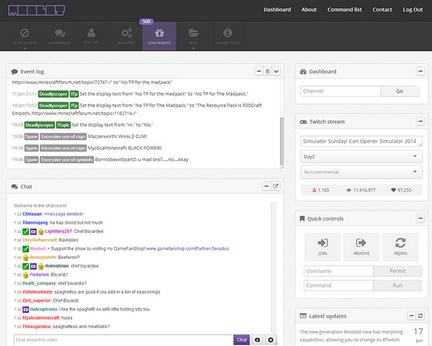
Moobot - features web based dashboard, customization, spam filters, commands, polls, giveaways, song requests, notifications


Nightbot - features dashboard, spam protection, custom commands, nightbot commands, timers, (regulars / subscriber features), song requests, giveaways


Deepbot - features desktop dashboard, user database / viewer log, raffles, commands, music, polls, mini games, betting, notification 

LoyaltyBot - javascript / node based loyalty bot.

SpottyBot -  is a bot for windows / mac which plays music from your desktop spotify application

WinterBot - open source bot

GeoBot - features commands

Xanbot - features commands

ModBot - is a desktop loyalty bot.