Sunday, August 2, 2020

How to get affiliate sponsors for your channel?

Landing your first sponsorship as a brand-new Twitch Affiliate doesn’t have to feel impossible. Plenty of streamers just like you are turning consistent streams and a professional setup into free game keys, paid campaigns, and even free gear from big brands. You don’t need thousands of viewers. You just need the right platforms and a bit of hustle.

In 2026 the key distribution and sponsorship scene is still very creator-friendly, especially for active Twitch Affiliates who stream regularly and treat their channel like a business. I’ve been testing these tools myself and watching small channels land real deals. Here’s your complete, freshly updated guide to exactly what works right now for new Affiliates.

Game Key Distribution Platforms: Free Games, Analytics, and Real Sponsorship Opportunities

These platforms are your quickest way to request review keys, join early access campaigns, and unlock paid brand deals. Most are free to join and welcome new Affiliates as long as your channel is active and professional.

Keymailer.co

Still one of the largest and most reliable platforms for game influencers. It automatically tracks your Twitch coverage when you use the right category, so publishers can easily see what you’re playing. New Affiliates often start with indie titles but quickly build a strong library. It’s a solid long-term play that scales with your channel.

Join Keymailer
keymailer

Noiz.gg

One of the best options for both free keys and actual paid sponsorships. Even smaller channels with modest concurrent viewers regularly land campaigns here because the platform focuses on real engagement rather than just raw numbers. It’s a fantastic way for new Affiliates to start earning money from sponsorships early on.

Check out Noiz.gg
noiz gg

Xsolla Partner Network (includes former Arsenal.gg / Rainmaker.gg)

Arsenal.gg has fully evolved and merged into the Xsolla Partner Network (now at x.la/xpn). This is your one-stop platform for analytics, key distribution, revenue-sharing campaigns, and performance-driven deals. It’s perfect for streamers who want data on their growth while unlocking brand partnerships and paid opportunities that scale as your channel grows.

Join Xsolla Partner Network
Xsolla Influencer platform

Terminals.io

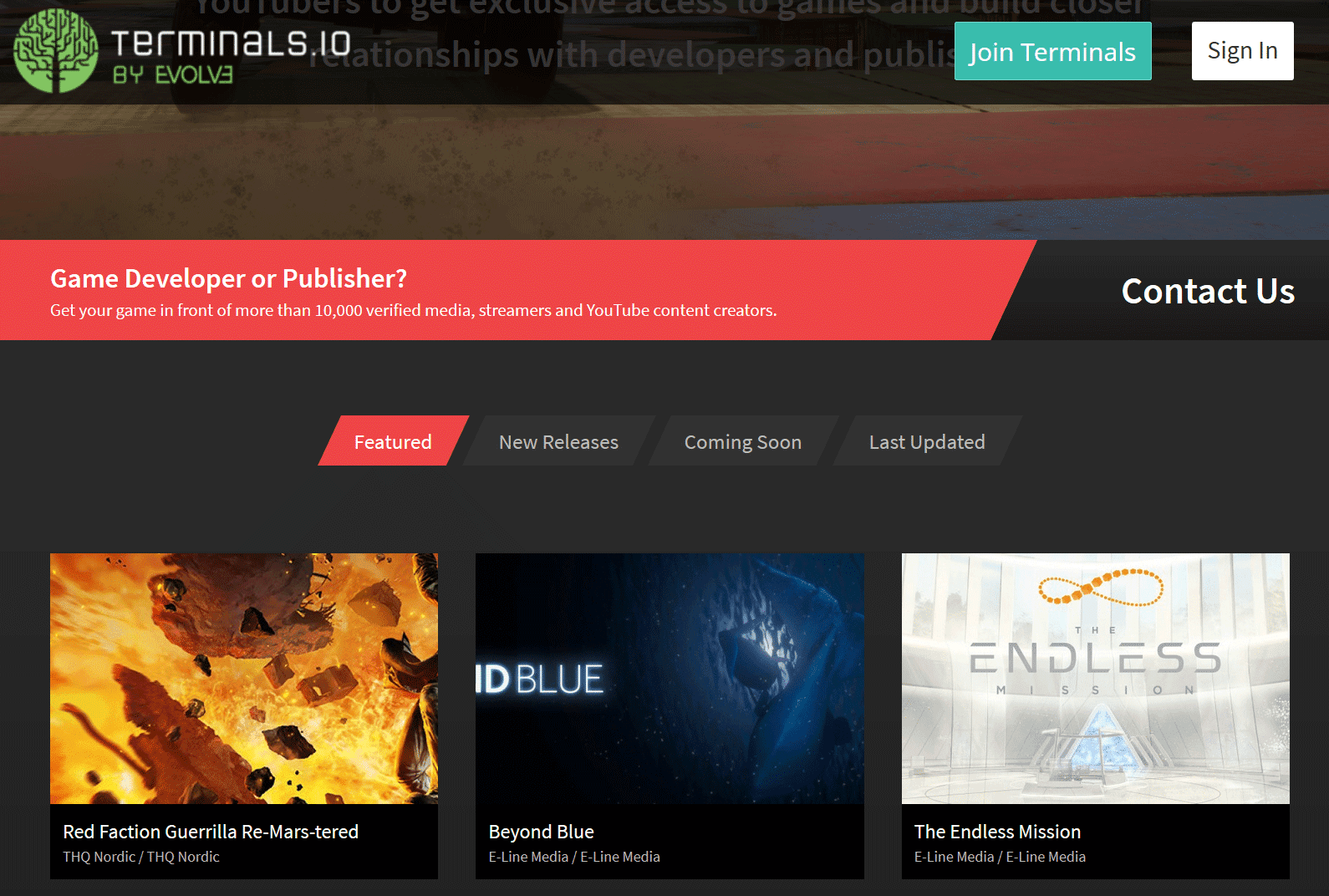
A professional, streamlined key distribution and PR platform trusted by both indie and AAA developers. Link your Twitch account, keep your profile active, and you’ll start seeing relevant opportunities. With over 29,000 verified creators, it’s still one of the cleanest and most effective tools available in 2026.

Sign up for Terminals.io
terminals.io

Sponsorships and Affiliate Programs from Gaming Brands

Beyond free keys, these hardware, accessory, and gaming brands run active programs for streamers. Some are commission-based affiliates, others offer free gear or paid sponsorships. Many remain accessible to new Affiliates in 2026 if you have a clean channel, consistent schedule, and professional contact info.

  • AKRacing – Gaming chairs and accessories with strong commission rates
  • AVerMedia – Capture cards, mics, webcams, and streaming audio
  • Arozzi – Chairs, desks, eyewear, and microphones
  • Battle Beaver Customs – Custom controllers and parts
  • Cinch Gaming – Custom controllers
  • Corsair – Full range of streaming and gaming gear
  • DXRacer – Popular gaming chairs
  • FatalGrips – Controller grips, mousepads, and accessories
  • GT Omega – Racing-style chairs, cockpits, and wheel stands
  • Green Man Gaming – Digital game keys with affiliate commissions
  • HyperX – Headsets, keyboards, mice, and memory
  • Netgear – High-performance gaming routers
  • Razer – Laptops, peripherals, and full gaming ecosystems
  • Thermaltake – PC components, cooling, and accessories

Always visit the brand’s page directly for the latest requirements. Some have minimum thresholds, but many are still open to motivated new Affiliates who show genuine passion and professionalism.

Pro Tips to Actually Land Sponsorships as a New Affiliate

The platforms open the door, but these habits are what get brands reaching out to you:

  • Professional contact info is essential – Add a clear business email to your Twitch About section and every social bio. Brands move fast and won’t chase you down.
  • Create a simple media kit – A one-page overview with your average viewers, schedule, content style, and past highlights goes a long way.
  • Focus on real synergy – Sponsors want authentic fits. If your community loves competitive games, target controller or peripheral brands first.
  • Stay consistent and tag everything – Regular streams in the right categories and proper crediting help platforms reward you automatically.
  • Network proactively – Spot a perfect brand fit? Send a short, polite email to their PR or influencer contact. It still works incredibly well in 2026.

Every big streamer you watch today started exactly where you are right now. Sign up for a few of these platforms, request your first keys, and treat every stream like the opportunity it is. The sponsorships will start coming sooner than you expect. If you find a new platform that works great for Twitch Affiliates, drop it in the comments or message me. I’m always testing these tools and happy to share what actually delivers results.

Now go get signed up, start requesting keys, and build the sponsored future your channel deserves. You’ve got this.

Saturday, August 1, 2020

What are the affiliate perks for streamers?

Imagine logging into Twitch one day and realizing your loyal viewers can finally support you with real money while you do what you love. For countless streamers, that moment arrives the instant you become a Twitch Affiliate. In 2026, the bar to get there is lower than ever, opening the door to serious monetization and better streaming tools that help turn your hobby into something sustainable.

Whether you're just hitting the qualification marks or already dreaming about your first payout, here's a clear, up-to-date look at exactly what Affiliate status delivers and how to make the most of it.

twitch affiliate perks

Monetization Perks That Actually Pay the Bills

The biggest reason most streamers chase Affiliate status is simple: it unlocks multiple ways to earn. Here are the core options available right now in 2026.

  • Subscriptions: Viewers can subscribe at different tiers (starting around $5.99 for Tier 1) and give you recurring monthly income. Loyal fans love the perks they get in return, like subscriber-only emotes, badges, and an ad-free viewing experience. Most Affiliates keep about 50 percent of the revenue, and once you qualify for the Twitch Plus Program through consistent performance, you can unlock even better splits.
  • Bits (Cheering): Your audience can buy and cheer with Bits during streams to show instant support. You earn roughly a penny per Bit used, and you can create custom cheer rewards to make the experience more interactive and fun for everyone watching.
  • Ads: Run mid-roll commercials directly from your dashboard with just a click. Ad revenue has become a solid income stream for Affiliates, especially as your concurrent viewers grow. The key is spacing them thoughtfully so you don't frustrate your community.
  • Sponsorship Opportunities: Affiliates now have access to Open Invitation Campaigns (the modern evolution of the old Bounty Board). You can browse brand deals and sponsored streams that fit your audience, opening up one-time or ongoing partnerships that can pay anywhere from a few hundred dollars to much more depending on your size.

Video Quality and Content Perks That Keep Viewers Happy

Beyond the money, Affiliate status improves how your streams look and how long they stick around for your community.

  • Priority Transcoding: Your broadcasts get bumped up in the queue so viewers on slower connections can still watch smoothly. They can adjust quality on the fly without buffering frustration, which means fewer people leave mid-stream.
  • Extended VOD Storage: Past broadcasts stay available for up to 14 days instead of the shorter window non-Affiliates get. This gives your audience more chances to catch highlights or full episodes they missed.
  • Reruns Done Your Way: The old dedicated ReRun feature is long gone. You can still share previous content by loading up a VOD in your streaming software and going live the normal way. It takes a little extra effort but keeps your schedule flexible when you need a break.

Practical Tips to Make the Most of Your New Perks

Getting Affiliate status is just the beginning. Smart streamers treat it as a launchpad. Set up your subscription tiers and emotes early so new subs feel rewarded right away. Experiment with Bit rewards that encourage chat interaction. Test short ad breaks during natural lulls instead of interrupting big moments. And keep an eye on the sponsorship dashboard, even if you're small. Many campaigns now welcome growing creators who have engaged, niche audiences.

Consistency still matters more than anything. Stream regularly, engage with your chat, and use the new tools to build genuine relationships with your viewers. Those relationships are what turn one-time cheers into monthly subscribers and long-term brand deals.

Becoming a Twitch Affiliate in 2026 is no longer some distant goal reserved for big channels. It's the practical next step that gives you real earning power and better tools to grow. If you're close to the requirements or already there, lean into these perks and watch your channel evolve from a hobby into something much more rewarding.

Thursday, July 30, 2020

Requirements to become a twitch affiliate

Becoming a Twitch Affiliate: Your First Big Step Toward Real Growth and Earnings

If you have been putting in the hours streaming on Twitch, building a small but loyal community, there is nothing quite like the moment you unlock Affiliate status. It feels like the platform is finally saying your content matters and it is ready to give you the tools to turn that passion into something more. Twitch made some smart updates recently to lower the bar, so more dedicated creators can reach this milestone faster than ever before.

What It Takes to Become a Twitch Affiliate in 2026

The requirements are straightforward and designed around consistent effort rather than perfection. You need to hit all four goals within a rolling 30-day window:

  • Reach at least 25 followers on your channel.
  • Stream for a total of 4 hours.
  • Broadcast live on at least 4 different days.
  • Maintain an average of 3 concurrent viewers across those streams (hosts, raids, and direct viewers count, but third-party embeds do not).

These numbers represent a welcome change from the old standards, making the path much more achievable for new and growing streamers who stay consistent and focus on real engagement.

Keeping track is simple. Just head to your Creator Dashboard, click on Insights in the sidebar, then Achievements. The Path to Affiliate section shows your live progress on every requirement with clear bars and numbers so you always know exactly where you stand.

The Real Benefits That Come With Affiliate Status

Once you qualify, your channel opens up to a whole new level of features and earning potential. These perks go far beyond what regular broadcasters get and help you build deeper connections while starting to earn from your audience.

Monetization Opportunities That Actually Pay

  • Subscriptions: Your viewers can now subscribe at Tier 1, 2, or 3 levels, including those using Twitch Prime or Amazon Prime. This unlocks custom emotes your subscribers can use anywhere on Twitch and special sub badges that celebrate their support.
  • Bits and Cheering: Fans can buy Bits and cheer them during your streams as a quick, fun way to show appreciation. You also get custom bit badges to reward your biggest cheerers.
  • Ads: Run mid-roll advertisements straight from your dashboard with one click and earn a share of the revenue they generate.
  • Bounty Board and Sponsorships: Browse and apply for brand deals and sponsored opportunities from game companies and other partners looking for creators like you.

Streaming and Video Perks That Improve Your Channel

  • Priority Transcoding: Your streams get faster access to higher quality options so more viewers on slower connections can enjoy a smooth experience.
  • Reruns and Better VODs: Easily schedule reruns of your past broadcasts and keep your content available longer for fans who missed the live show.

These tools do more than just add features. They create new ways to reward your community, keep people coming back, and start generating income that rewards all the time you have already invested.

Practical Tips to Hit Affiliate Faster

Consistency beats perfection every time. Pick a schedule you can actually stick to, show up with energy, and focus on content that sparks real conversation in chat. Share your streams on social media, team up with other small creators for raids, and engage with your viewers like friends. The average three-viewer mark feels tough at first, but it becomes natural once people start sticking around for your unique style.

Before you apply, make sure Two-Factor Authentication is enabled on your account. Twitch will walk you through a quick onboarding process once you qualify, and then the real journey of growing a sustainable channel begins.

Reaching Affiliate is not the finish line. It is the starting line for everything that comes next: building a loyal community, experimenting with new ideas, and turning your streams into something truly special. Stay patient, keep showing up, and enjoy the ride.

What the Twitch Affiliate Requirements Used to Be (For Historical Reference)

If you are digging through older guides, watching old videos, or simply curious about how things have changed, here is what the requirements looked like before the recent update that made the path much more accessible:

  • 50 followers on your channel
  • Stream for at least 8 hours (or 500 total minutes) in the last 30 days
  • Stream on 7 different days in the last 30 days
  • Maintain an average of 3 concurrent viewers
path to affiliate

The lowered thresholds have helped thousands more streamers start earning and growing faster while still rewarding the same core values of consistency and genuine community engagement.

Wednesday, July 29, 2020

Can twitch streams be private?

Want to Stream on Twitch Without the Whole World Tuning In?

You’re not alone. Plenty of streamers want to practice in peace, test new ideas, or share a casual session with just a handful of close friends or subscribers. The good news? While Twitch doesn’t offer a true “private stream” button like some other platforms, you can make your broadcast extremely hard for random viewers to stumble across—and even lock it behind a soft paywall if you want.

Here’s exactly how to do it in 2026, with the latest settings and a few smart workarounds that actually work.

Twitch Doesn’t Do Fully Private Streams—Here’s Why and What That Means

Twitch is built around public discovery. Every live broadcast is technically visible to anyone who knows your exact channel URL. There’s no password protection or “invite-only” toggle for standard streams. But that doesn’t mean you’re completely exposed. By tweaking a few key settings and being intentional about how you go live, you can shrink your audience down to almost nothing while still streaming to Twitch.

Step 1: Strip Your Stream of All Discoverable Info (The Easiest Hide)

The fastest way to drop off the radar is to leave your stream completely blank of metadata. Here’s how:

  • Head to your Creator Dashboard → Stream Manager → Edit Stream Info.
  • Leave the Category field completely empty.
  • Skip adding any tags.
  • Keep your title short, boring, and keyword-free (think “Test Stream” or nothing at all).

When you go live without a category or tags, your stream won’t appear in any game or topic directories. It’ll only show up in the massive “Live Channels” feed that’s flooded with thousands of other streams. If your channel doesn’t already have a big following, the odds of random people finding you become tiny.

This trick has been reliable for years and still works perfectly in 2026. It’s the go-to method for practice streams, content tests, or just chilling with regulars.

Step 2: Turn On Subscriber-Only Streams for a Built-In Paywall

Want to take it one step further and make your stream accessible only to people who support you? Twitch’s Subscriber Streams feature is perfect for this.

These special streams are visible only to your subscribers, VIPs, and moderators. Everyone else who clicks your channel sees a short live preview and a big prompt to subscribe if they want to keep watching. It’s not 100% private, but it creates a nice little barrier that keeps casual browsers out while rewarding your community.

subscriber only

Quick tip: You’ll find the Subscriber Stream toggle right in the Edit Stream Info screen, just like the old “sub-only mod” option you might have seen before. Enable it before you go live and you’re set.

Pro Move: Create a Secondary “Ghost” Account for Maximum Privacy

If you want to be basically invisible, the most effective trick is to stream from a brand-new Twitch account that has zero followers and no history. Sign up with a fresh email, never link it to your main channel, and follow the no-metadata steps above. Then simply share the direct link with the exact people you want watching.

This method is popular among streamers who test layouts, practice talking to camera, or run private coaching sessions. Random discovery is almost impossible because the account has no reputation for the algorithm to latch onto.

Extra Privacy Hacks Worth Knowing

A few more smart moves to keep things low-key:

  • Use Twitch Inspector for tests: Before going live publicly, run a bandwidth test through the official Twitch Inspector tool. It lets you push a stream without actually appearing live on your channel.
  • Share the direct link only: Never post your channel in public Discords or socials during these streams. DM or group-chat the URL to trusted friends.
  • Subscriber-only VODs as backup: While you’re at it, turn on “Subscriber-Only Archives” in your Stream settings so any recordings stay locked behind the same paywall.

These small changes stack together to create a stream that feels private in practice, even if it’s not technically locked down.

When to Consider Streaming Somewhere Else Instead

If you truly need end-to-end privacy (password protection, invite-only links, etc.), Twitch simply isn’t the right tool. In those cases, many streamers switch to:

  • Discord screen share in a private voice channel
  • YouTube private or unlisted live streams
  • Steam’s built-in private broadcasting

But for everything else—practice runs, sub-exclusive content, or low-key hangouts—Twitch’s hidden-stream tricks work surprisingly well.

Bottom Line

You can’t make your Twitch stream truly private, but you can make it so difficult to find that it might as well be. Leave the category blank, turn on Subscriber Streams when you want to reward your supporters, and consider a throwaway account for total peace of mind. These simple tweaks have helped thousands of streamers relax, experiment, and build better content without the pressure of an open door.

Try them on your next stream and let me know how it feels—sometimes the smallest settings changes make the biggest difference in how much fun streaming actually is.

Tuesday, July 28, 2020

Can mods change title

Can Twitch Mods Change Stream Titles? (Yes – Full 2026 Guide for Moderators)

Yes, Twitch moderators with the proper permissions can change the stream title, category, audience rating, tags, and language settings. This is one of the most useful moderator tools and helps streamers keep their channel information up to date without pausing the stream.

In this fully updated 2026 guide, we show you exactly how moderators can edit stream info using Mod View. The process is quick and works the same way it has for years.

Quick Requirements Before You Start

  • You must be a moderator in the channel
  • The streamer must have given you Editor permissions (or specifically enabled “Edit Stream Info” in Roles Manager)
  • You need to be on desktop or the Twitch website (mobile Mod View is limited)

Step-by-Step: How Mods Change the Stream Title on Twitch

Step 1.
Go to the Mod View dashboard by clicking the Mod View button (sword icon) at the bottom of the chat.

mod view link

Step 2.
On the Mod View dashboard, click the little pencil icon next to the stream’s title.

edit title button

Step 3.
A pop-up window called “Broadcast Options” will appear. Edit the title in the top text box (or change category, tags, audience, or language). Click Done to save.

broadcast options

Bonus Tip: Faster Way Using Chat Commands (2026)

Many channels use bots like Nightbot or StreamElements. Moderators can simply type in chat:

!title Your New Stream Title Here

Ask the streamer which bot they use and what the exact command is.

Pro Tips for Moderators in 2026

  • Always double-check spelling and length (Twitch titles have a 140-character limit)
  • Update the category and tags at the same time for better discoverability
  • Keep titles SEO-friendly and exciting to help with recommendations
  • If the pencil icon is missing, ask the streamer to give you Editor permissions in Creator Dashboard → Community → Roles Manager

Frequently Asked Questions

Do all mods have permission to change the title?

No. Only moderators with Editor permissions can edit stream info. Regular mods can only moderate chat.

Can I change the title from mobile?

Yes, but it’s much easier and more reliable on desktop using Mod View.

Does changing the title notify viewers?

No, it updates silently. Viewers see the new title immediately in the channel info.

Final Thoughts

Being able to change the stream title as a mod is a powerful tool that keeps streams running smoothly. The Mod View method above is still the official and fastest native way in 2026.

Save this guide and share it with your mod team so everyone stays on the same page. Need help with permissions or bot commands? Drop a comment below and I’ll walk you through it.

Happy moderating!

Just Chatting category becoming most popular on platform

Why "Just Chatting" Has Quietly Taken Over Twitch as the Platform's Biggest Category

If you open the Twitch directory today, one thing jumps out immediately: Just Chatting sits at the very top, pulling in more total watch hours than any game or other category combined. What began as a simple space for casual conversation has grown into the platform's undisputed heavyweight, reshaping how millions of people experience live streaming. And the numbers back it up in a big way.

Just Chatting #1

The Numbers Tell the Full Story

Back in 2020, the early signs were already there. StreamElements data showed Just Chatting climbing from 86 million hours watched in January to 167 million by June. It was starting to outpace big titles like League of Legends, Grand Theft Auto V, Fortnite, and even the newly released Call of Duty: Modern Warfare.

Jump ahead to 2026 and that momentum has turned into complete dominance. In recent 30-day periods, Just Chatting routinely racks up over 215 to 220 million hours watched. Year-to-date totals have already surpassed 920 million hours, with full-year projections comfortably above 1.35 billion. For context, that's far ahead of the next closest categories. League of Legends might hit around 70 to 120 million hours in the same window, while Counter-Strike, GTA V, and VALORANT trail even further behind.

Non-gaming content now makes up roughly 32 percent of all watch time on Twitch, and Just Chatting leads the pack by a wide margin. Average concurrent viewers regularly hover around 300,000 to 310,000, making it the single most reliable engine for long-form viewing on the entire platform.

So What's Actually Fueling the Growth?

The easy answer some pointed to years ago was simple mis-categorization. Streamers playing games or niche content would slap on the Just Chatting label to tap into the bigger floating audience and better discoverability. And yes, that still happens from time to time. But the real story runs much deeper.

Today's viewers aren't just looking for gameplay highlights. They crave connection. They want to hang out with streamers who feel like friends, share stories, react to the latest news, or simply vibe in real time. Just Chatting delivers exactly that. It supports everything from laid-back IRL streams and deep community chats to reaction videos, podcasts, and variety segments that keep people watching for hours instead of minutes.

Top creators have leaned into this shift hard. Many now treat Just Chatting as their main format or a seamless bridge between games and personality-driven content. The result is stronger parasocial bonds, higher retention, and streams that feel more like entertainment shows than traditional gameplay sessions. Post-pandemic habits helped accelerate the trend too. People discovered they enjoyed the social side of streaming just as much as the games themselves.

The Ongoing Debate Around Labeling and Rules

That said, the categorization conversation never fully went away. A memorable 2020 clip captured chess grandmaster Hikaru Nakamura calling out fellow streamers — specifically the popular Botez sisters — for choosing Just Chatting over the dedicated Chess category. He argued it hurt smaller niches trying to build their own audiences by pulling viewership away from the proper Chess directory.

Here’s the clip where Hikaru discusses how it affects the Chess category:

The discussion sparked plenty of Reddit threads, including this one: Hikaru’s take on Botez streaming in Just Chatting over Chess categories.

Twitch's own community guidelines remain straightforward on the subject: "You are expected to accurately label your content to the best of your ability. When choosing a category or tag, please choose whichever best describes your content. Deliberate or extensive misuse of titles, tags, games/categories, or other metadata are prohibited."

Yet enforcement in this specific area has stayed relatively light. Twitch has focused more on modernizing suspensions, adding content classification labels for mature themes, and improving transparency elsewhere. Just Chatting has effectively become the go-to catch-all for engaging, unscripted variety content, and the platform appears comfortable letting it thrive as the entertainment hub it has become.

What This Means for Creators and the Platform

For streamers, the lesson is practical. While playing by the rules still matters, understanding where the biggest audiences actually gather can make a real difference in growth. Many creators now mix categories strategically, starting in Just Chatting for visibility before sliding into game-specific ones when the moment fits.

For Twitch as a whole, this evolution marks a deeper transformation. The platform is no longer just a gaming destination. It has become a mainstream live entertainment space where personality, community, and real-time interaction matter as much as any leaderboard or boss fight.

Gaming categories still have their passionate core audiences, but competing for attention against the massive draw of Just Chatting requires smarter strategies, better tags, and more engaging presentation. Smaller niches may feel squeezed, yet the overall pie keeps growing because the content feels more accessible and human.

Looking ahead, the big question is whether Twitch will refine discovery tools, create more granular sub-categories, or introduce subtle nudges toward accurate labeling without killing the category's magic. For now, Just Chatting continues to win because it gives viewers exactly what they want: a place to simply connect, laugh, and spend time with creators they genuinely enjoy.

If you're building a channel in 2026, the data is clear. Mastering the art of authentic conversation might be the single smartest move you can make.

Monday, July 27, 2020

Can affiliates run ads

Can Twitch Affiliates Run Ads in 2026? Yes and the New Auto Ad Manager Makes It Easier Than Ever

If you just hit Affiliate status and you are wondering how to start earning from your streams without constantly babysitting the clock, good news. Twitch Affiliates can absolutely run ads, and the platform just made it simpler than ever. The updated Ads Manager in your Creator Dashboard now lets you set a smart automatic schedule that runs mid roll ads on autopilot. No more manual triggers every half hour if you do not want them. You focus on entertaining your audience while the system quietly handles the revenue side.

This set it and forget it approach is a game changer for growing streamers. It keeps your income flowing consistently, helps disable annoying pre roll ads for new viewers, and gives you full control over how ads fit into your content. Let us walk through exactly how it works in 2026 so you can start monetizing smartly without frustrating your community.

How the New Auto Ad Manager Works for Affiliates

Head to your Creator Dashboard, click Monetization on the left, then select Ads. This is where Twitch Auto Ad Manager lives. Toggle it on, and the system will automatically schedule mid roll ads based on the settings you choose. No more guessing or interrupting your flow. It just runs in the background.

Key features you will love:

  • Ad Density Slider Pick exactly how many minutes of ads you want per hour. The sweet spot for most Affiliates is three minutes per hour, which unlocks the full 55 percent net revenue share automatically.
  • Automatic Ad Length and Frequency Let Twitch suggest the best combination for your channel. A popular default is a 90 second ad every 30 minutes. It feels natural and keeps pre roll ads turned off for everyone joining your stream.
  • Manual Override Still Available If you ever want to trigger an extra break, just use the old school commercial command in chat. For example, commercial 120 for a two minute ad.

The available ad break lengths give you plenty of options:

  • 30 second ad break
  • 60 second ad break
  • 90 second ad break
  • 120 second ad break
  • 150 second ad break
  • 180 second ad break three full minutes

The Smart Schedule That Actually Works

Twitch own guidance is clear. Aim for at least three minutes of mid roll ads every hour. Why? It maximizes your earnings and completely removes pre roll ads for new viewers. That means people can hop into your stream and start watching right away instead of sitting through 30 seconds of commercials first.

Here are the schedules most Affiliates are loving right now:

  • Growth friendly: 30 to 60 seconds every 30 to 45 minutes super light on viewers
  • Balanced and popular: 90 seconds every 30 minutes hits exactly three minutes per hour
  • Simple and clean: One three minute break once per hour

Drop them during natural pauses, loading screens, between games, or right after a big moment, and your viewers barely notice. Many streamers add a quick chat warning like Ad break coming in 10 seconds. Grab a snack to keep things friendly.

Balance Revenue With Viewer Experience

Ads are fantastic for your wallet, but they are not free entertainment. The Auto Ad Manager makes it easy to stay consistent without overdoing it. Too many long breaks in a row can send people clicking away, so start conservative and watch your analytics. Most successful Affiliates find that three minutes per hour feels just right. Enough to earn steadily while keeping retention strong.

Pro tip: Test a schedule for a few streams, check your viewer drop off times, and tweak from there. What works perfectly for a fast paced competitive streamer might need softening for a chill Just Chatting vibe.

Final Thoughts: Turn On Auto Ads and Watch Your Income Grow

Yes, Twitch Affiliates can and should run ads in 2026. With the powerful new Auto Ad Manager built right into the dashboard, you no longer have to choose between streaming and making money. You can do both effortlessly. Enable the schedule, hit that three minutes per hour mark, and let the system work for you.

Your viewers stay happy, your revenue climbs steadily, and you get to focus on what matters most: creating great content and building your community. Head into your Creator Dashboard right now, open Ads Manager, and set up your first automatic schedule. Your future self and your paycheck will thank you.