Monday, August 24, 2020

How to grow your youtube channel which then becomes a traffic generator for your stream!

Why Some Gaming YouTubers Skyrocket While Others Stay Stuck: The 2026 Playbook for Real Growth

If you’ve ever scrolled through YouTube wondering why certain gaming channels rack up millions of views while yours barely gets noticed, you’re not alone. The difference usually comes down to one simple truth: the top creators figured out what the algorithm actually rewards, and they stuck with it.

After studying what’s working right now in 2026, I’ve pulled together the most practical, battle-tested strategies that can help you grow faster. No fluff, no outdated tricks—just smart moves you can start using today. The best part? You don’t need to reinvent the wheel. You just need to study the winners in your niche and adapt their winning formula to your own voice.

growing your youtube

Start by Studying the Top Creators in Your Game

Pick a popular game—say Overwatch 2 or whatever is trending this month—and head straight to the biggest channels in that category. Scroll through their latest videos and take notes like a detective.

  • Look at every title: What words create curiosity? How do they mix the game name with benefits or emotions?
  • Examine the thumbnails: Where do they place the character, text, or logo? What’s the overall vibe?
  • Check their tags to see how they help YouTube understand the topic.

Then do the same thing with your own content. Replicate the style, wording, and structure that’s already proven to work. This isn’t copying—it’s learning from creators who’ve already cracked the code. Just remember: focus on a game that’s popular or trending right now. Older titles can still work great once your channel has an audience, but new channels grow fastest when they ride the current wave.

Thumbnails That Actually Stop the Scroll in 2026

Your thumbnail is the very first thing viewers see, and in 2026 it still makes or breaks your click-through rate. The best ones feel impossible to ignore.

  • Colors are everything. High-contrast combinations pop against YouTube’s background—bright yellows or oranges on dark backgrounds, reds that scream urgency, or bold accents that stand out instantly.
  • Facial expressions win every time. Wide eyes, open mouths, genuine surprise or excitement draw people in. Our brains are wired to notice human faces, and the more emotion you show, the more clicks you’ll earn. It’s a marketing tactic that still works because it’s human.

Keep the design clean with just two or three elements, use big readable text (three to four words max), and make sure your thumbnail and title work together like a perfect team. Test a few versions and see what performs best—small changes here can double your views.

Tell Stories That Keep People Watching

Beyond the gameplay, the videos that perform best share real emotion. Show your reactions, the funny fails, the clutch moments, and the lessons learned. Emotional storytelling turns casual viewers into loyal fans who watch until the end.

Create Content That Answers Real Questions

The smartest growth hack on any platform is simple: give people exactly what they’re searching for. Your job is to find those questions and answer them better than anyone else.

Try the ABC method—it still works incredibly well in 2026. Go to YouTube, type your main keyword like “Overwatch” then add “ a”, “ b”, “ c” and so on through the alphabet. Watch what YouTube suggests. Those autocomplete results are real searches happening right now. Pick the ones that match your expertise and have decent search volume but aren’t completely oversaturated.

Pair this with free or low-cost tools like vidIQ or TubeBuddy for deeper insights into competition and trends. The goal is to create videos people are actively looking for, not just guessing what might work.

Focus on Real Engagement and Watch Time

YouTube’s algorithm in 2026 cares most about whether viewers actually enjoy your content and watch it all the way through. Watch time and audience retention beat likes and comments combined.

The secret isn’t tricks or shortcuts. Create videos with a strong hook in the first few seconds, deliver real value, and end with a reason to watch more. When people naturally finish the video—or even rewatch parts because they loved it—YouTube notices and pushes your content harder.

Skip any black-hat ideas like artificially inflating watch time. Those tactics can get your channel flagged or banned. Instead, build genuine connections. Ask questions in your videos, reply to comments, and encourage discussion. Every bit of real engagement adds up.

Make It Easy for Viewers to Find Your Live Streams and Community

Don’t leave money or connections on the table. Guide your audience straight to your other platforms.

  • Put your streaming channel links right at the top of every video description.
  • Pin a helpful comment with your most important links so it stays visible.
  • Use the built-in links section on your channel page to showcase your Twitch, Discord, website, and social accounts.
youtube channel page links

Bonus Moves That Separate Growing Channels in 2026

Once you’ve nailed the basics, layer on these extra strategies:

  • Post on a consistent schedule so both the algorithm and your audience know when to expect you.
  • Use YouTube Shorts as a discovery engine—they’re perfect for pulling new viewers into your longer videos.
  • Add clear subtitles and chapters to improve accessibility and keep people watching longer.
  • Check your analytics regularly to see what’s working and double down on those winning topics.

Growing a YouTube channel takes time and real effort, but when you focus on delivering value and studying what actually works, the results start to compound. The creators who win are the ones who stay consistent, stay authentic, and keep learning.

Got questions about any of these steps or want to share what’s working for you? Drop them in the comments below. If this guide gave you some useful ideas, feel free to share it with your fellow creators on social media, forums, or Discord. Bookmark it too—you’ll probably want to come back as you test these strategies and watch your channel grow.

Wednesday, August 12, 2020

Whats the current bitrate cap for streams?

The current bitrate recommendation for twitch streams is 6000 kbps. You can go higher to about 8000 kbps but risk getting source disabled if it becomes an issue on the network. Here are more details on various resolutions and bitrate settings for you to use on your channel.

x264 or Nvidia NVENC Encoding

  • 1080p60
    • Resolution: 1920 x 1080
    • Framerate: 60, 59.94, 50
    • Bitrate: 6000 kbps
    • Audio Bitrate: 128 kbps
  • 1080p30
    • Resolution: 1920 x 1080
    • Framerate: 30, 29.97
    • Bitrate: 6000 kbps or 4500 kbps
    • Audio Bitrate: 128 kbps
  • 720p60
    • Resolution: 1280 x 720
    • Framerate: 60, 59.94, 50
    • Bitrate: 6000 kbps
    • Audio Bitrate: 128 kbps
  • 720p30
    • Resolution: 1280 x 720
    • Framerate: 30, 29.97
    • Bitrate: 6000 kbps or 4500 kbps
    • Audio Bitrate: 128 kbps
  • Rate Control: CBR
  • Keyframe Interval: 2 seconds
  • Preset
    • x264
      • Very fast to Slow
      • For this setting test out how far you can go with slow being the best but requires a lot of cpu power. If you set it to slow preset and notice your cpu spiking over 80%, it cant handle it, try medium, then fast, and lastly very fast.
    • Nvenc
      • Quality
  • Profile: Main/High
  • B-frames: 2

For OBS Users
Here are some screenshots showing the various location in settings that you need to update for resolution and bitrate.

Output settings for obs

In the output tab under settings for OBS, you can configure the video bitrate, encoder and audio bitrate.


Video settings for obs

For video resolution and fps configuration its under the video tab in the settings on obs.


Here is a bitrate recommendation chart based on game type that I created a couple of years ago that still applies today.

High motion / FPS / First person games
Medium motion / RTS Games, usually has scrolling
Low motion / static action, turn based games
Bitrate chart for game types

Note the colors and what bitrate is recommend for the game type. For some games with high action, we still do not have enough bitrate to stream at 1080p60 at very high quality.
Monday, August 10, 2020

How to link your twitch with prime gaming

Are you an avid Twitch user looking to get the most out of your gaming experience? If so, then linking your Twitch account with Prime Gaming is the way to go! Not only will you gain access to exclusive in-game content and free games, but you’ll also have the chance to support your favorite streamers with free channel subscriptions.

prime gaming


Here is a quick guide on how to link your Twitch account with Prime Gaming:

  1. First, go to https://gaming.amazon.com/ and sign in with your Amazon Prime account.
  2. If you already have Amazon Prime, click “Connect your Twitch account” and sign in to your Twitch account. Then, click “Confirm.”
  3. If you do not have Amazon Prime, click “Start your 30-day free trial of Amazon Prime.” Sign in to your Amazon account, sign in to your Twitch account, and click “Confirm.” Review your information, and then click “Start your 30-day free trial.”
  4. Once your accounts are connected, you can start enjoying all the perks of Prime Gaming! This includes exclusive in-game content, free games, and free channel subscriptions to your favorite Twitch streamers.

But what if you decide you want to unlink your Twitch account from Prime Gaming? No problem! Here’s how:

  1. Go to your account on Amazon.com by visiting https://www.amazon.com/gp/css/homepage.html.
  2. Under “Settings,” click “Manage Twitch account settings.”
  3. Find the Twitch account you want to disconnect and click “Unlink account.”

That’s it! By following these simple steps, you can easily link or unlink your Twitch account with Prime Gaming. Whether you’re a casual or avid gamer, linking your accounts is definitely worth it for the exclusive content and free subscriptions alone. So what are you waiting for? Link your accounts today and start enjoying all the perks of Prime Gaming!

Sunday, August 9, 2020

Follower Bots still actively working in 2020

Does twitch still have a follow bot problem in 2020?  Sadly yes, this is one of the ongoing issues on the platform that keeps popping up.  Due note this issue also happens on many other platforms with people all focusing attention on follower numbers which leads to people finding ways to exploit it via botting.

Recently a ASMR streamer noticed over night that their channel gained 104 thousand followers overnight.

Here is a screenshot showing the channel gaining 104,000 followers and some other metrics from previous days.

follower botted 100,000+

Very rarely does a channel receive this much followers in a single day. This generally only occurs during a high profile channel being launched or a special event. Another noticeable entry that the metrics show is video views. If 100k people really were all following the channel on that day, at least base minimum there would be alot more then 6k video views on that day.

In the past Twitch did some auto following via the on-boarding of new app users. Could this be some new experiment Twitch is running with users and having them auto follow certain channels? I guess time will tell if such a thing is occurring! 


Another interesting event also occurred recently on a similar category channel.  Here is the tweet with a video clip showing tons of host botting.

This maybe now more of a targeted attack against ASMR streamers on Twitch. Additional investigation is needed but this video clip is extremely interesting because of the shear amount of automated bot hosting occurring.
Saturday, August 8, 2020

Insider's look into Bounty Board Rates

Curious to know what kind of rates Twitch's bounty board program provides to the top end streamers on the platform?  Well look no further, thanks to a streamer who is careless and shares this data we can come up with the general rates of bounty boards.

Here is what a streamer who generally averages 12,000 viewers gets for a 1 hour bounty board.
Bounty Board rates

It lists 7,091 dollars for 1 hour which is about 59-60 cents per viewer if we assume 12,000 concurrents.

Here is another screenshot of the same streamer during a different period showing the actual bounty internal data.
bounty board internal offer example

On this panel it lists that they must average 10,675 concurrent viewers to get the max payout of 3,789 dollars.  This leads to around 35 cents per concurrent viewer.

Whatever way you look at it, this is a extreme amount of money for just 1 hour of streaming. If any gaming company or agency read this post and wants a opinion here is my own thoughts.  Don't pay for large streamers with big numbers, pay streamers who are in the range of 100 to 400 viewers. In my view these streamers are more likely to continue playing the game for a extended session.  Some may even start to stream the game regularly. A good example of this occuring is my own experience with receiving a Black Desert Online bounty.  Its a game I always wanted to try but never went into it until the opportunity with the bounty happened. I currently stream this game regularly on my twitch channel.


Monday, August 3, 2020

Upcoming game release dates 2020

Start planning for upcoming games early, get a hold of their release month and start to build content around whatever games you are planning to stream in the future. Being the first to develop guides and helpful information on upcoming games can help secure your spot on search engines in terms of ranking.
2020 video game releases


2020 Video Game release dates
  • July
    • Trackmania
    • Little Town Hero
    • Marvel's Iron Man VR
    • Catherine: Full Body
    • Superliminal
    • CrossCode
    • Little Town Hero
    • Bloodstained: Curse of the Moon 2
    • Deadly Premonition 2: A Blessing In Disguise
    • F1 2020
    • NASCAR Heat 5
    • Sword Art Online: Alicization Lycoris
    • Dweller's Empty Path
    • Death Stranding
    • Rocket Arena
    • Story of Seasons: Friends of Mineral Town
    • Dragon Quest Tact
    • Superhot: Mind Control Delete
    • Death Come True
    • Ghost of Tsushima
    • Paper Mario: The Origami King
    • Rock of Ages 3: Make & Break
    • Carrion
    • Crysis Remastered
    • Tannenberg
    • Cuphead
    • Destroy All Humans!
    • Samurai Shodown NeoGeo Collection
    • Lost Wing
    • Lost Wing
    • Doraemon Story of Seasons
    • Hakuoki Shinkai: Ginsei no Sho
    • Hellpoint
    • Mobile Suit Gundam Extreme VS. Maxiboost ON
    • Root Film
    • Yakuza Kiwami 2
    • Yoru, Tomosu
    • Cat Quest + Cat Quest II Pawsome Pack
    • Fairy Tail
    • Lost Wing
  • August
    • Fall Guys: Ultimate Knockout
    • Fast & Furious Crossroads
    • Horizon Zero Dawn
    • Hyper Scape
    • Risk of Rain 2
    • Collar × Malice: Unlimited
    • A Total War Saga: Troy
    • EA Sports UFC 4
    • Microsoft Flight Simulator
    • Battletoads
    • Cupid Parasite
    • Aokana: Four Rhythm Across the Blue
    • New Super Lucky's Tale
    • PGA Tour 2K21
    • Samurai Jack: Battle Through Time
    • Kandagawa Jet Girls
    • Final Fantasy Crystal Chronicles: Remastered Edition
    • The Legend of Heroes: Hajimari no Kiseki
    • Moon: Remix RPG Adventure
    • Tell Me Why: Chapter One
    • Captain Tsubasa: Rise of New Champions
    • Immortal Realms: Vampire Wars
    • Jump Force: Deluxe Edition
    • Madden NFL 21
    • Project CARS 3
    • Wasteland 3
    • Windbound
    • Serious Sam 4
    • Surgeon Simulator 2
  • September
    • Ary and the Secret of Seasons
    • Crusader Kings III
    • MX vs. ATV All Out
    • Iron Harvest
    • Tell Me Why: Chapter Two
    • WRC 9
    • Doraemon Story of Seasons
    • Marvel's Avengers
    • NBA 2K21
    • Tony Hawk's Pro Skater 1 + 2
    • Kingdoms of Amalur: Re-Reckoning
    • RPG Maker MV
    • Metal Max Xeno: Reborn
    • Tell Me Why: Chapter Three
    • BPM: Bullets Per Minute
    • Fight Crab
    • WWE 2K Battlegrounds
    • 13 Sentinels: Aegis Rim
    • Mafia: Definitive Edition
    • Re:Turn – One Way Trip
    • Umihara Kawase BaZooKa!!
    • Shantae
  • October
    • Crash Bandicoot 4: It's About Time
    • Star Wars: Squadrons
    • Ride 4
    • Dirt 5
    • FIFA 21
    • Robotics;Notes DaSH
    • Robotics;Notes Elite
    • Lego Star Wars: The Skywalker Saga
    • Spacebase Startopia
    • Transformers: Battlegrounds
    • The Legend of Heroes: Trails of Cold Steel IV
    • Shin Megami Tensei III: Nocturne HD Remaster
    • Watch Dogs: Legion
    • The Dark Pictures Anthology: Little Hope
  • November
    • Bakugan: Champions of Vestroia
    • Shadowverse: Champion's Battle
    • Sakuna: Of Rice and Ruin
    • XIII
    • Yakuza: Like a Dragon
    • Assassin's Creed Valhalla
    • Cyberpunk 2077
  • December
    • Jack Jeanne
    • Dragon Quest XI S: Definitive Edition
    • Who's Your Daddy? 
Full Game list from the epic games store
- This is the A to Z listing for all the games available.
Sunday, August 2, 2020

How to get affiliate sponsors for your channel?

Landing your first sponsorship as a brand-new Twitch Affiliate doesn’t have to feel impossible. Plenty of streamers just like you are turning consistent streams and a professional setup into free game keys, paid campaigns, and even free gear from big brands. You don’t need thousands of viewers. You just need the right platforms and a bit of hustle.

In 2026 the key distribution and sponsorship scene is still very creator-friendly, especially for active Twitch Affiliates who stream regularly and treat their channel like a business. I’ve been testing these tools myself and watching small channels land real deals. Here’s your complete, freshly updated guide to exactly what works right now for new Affiliates.

Game Key Distribution Platforms: Free Games, Analytics, and Real Sponsorship Opportunities

These platforms are your quickest way to request review keys, join early access campaigns, and unlock paid brand deals. Most are free to join and welcome new Affiliates as long as your channel is active and professional.

Keymailer.co

Still one of the largest and most reliable platforms for game influencers. It automatically tracks your Twitch coverage when you use the right category, so publishers can easily see what you’re playing. New Affiliates often start with indie titles but quickly build a strong library. It’s a solid long-term play that scales with your channel.

Join Keymailer
keymailer

Noiz.gg

One of the best options for both free keys and actual paid sponsorships. Even smaller channels with modest concurrent viewers regularly land campaigns here because the platform focuses on real engagement rather than just raw numbers. It’s a fantastic way for new Affiliates to start earning money from sponsorships early on.

Check out Noiz.gg
noiz gg

Xsolla Partner Network (includes former Arsenal.gg / Rainmaker.gg)

Arsenal.gg has fully evolved and merged into the Xsolla Partner Network (now at x.la/xpn). This is your one-stop platform for analytics, key distribution, revenue-sharing campaigns, and performance-driven deals. It’s perfect for streamers who want data on their growth while unlocking brand partnerships and paid opportunities that scale as your channel grows.

Join Xsolla Partner Network
Xsolla Influencer platform

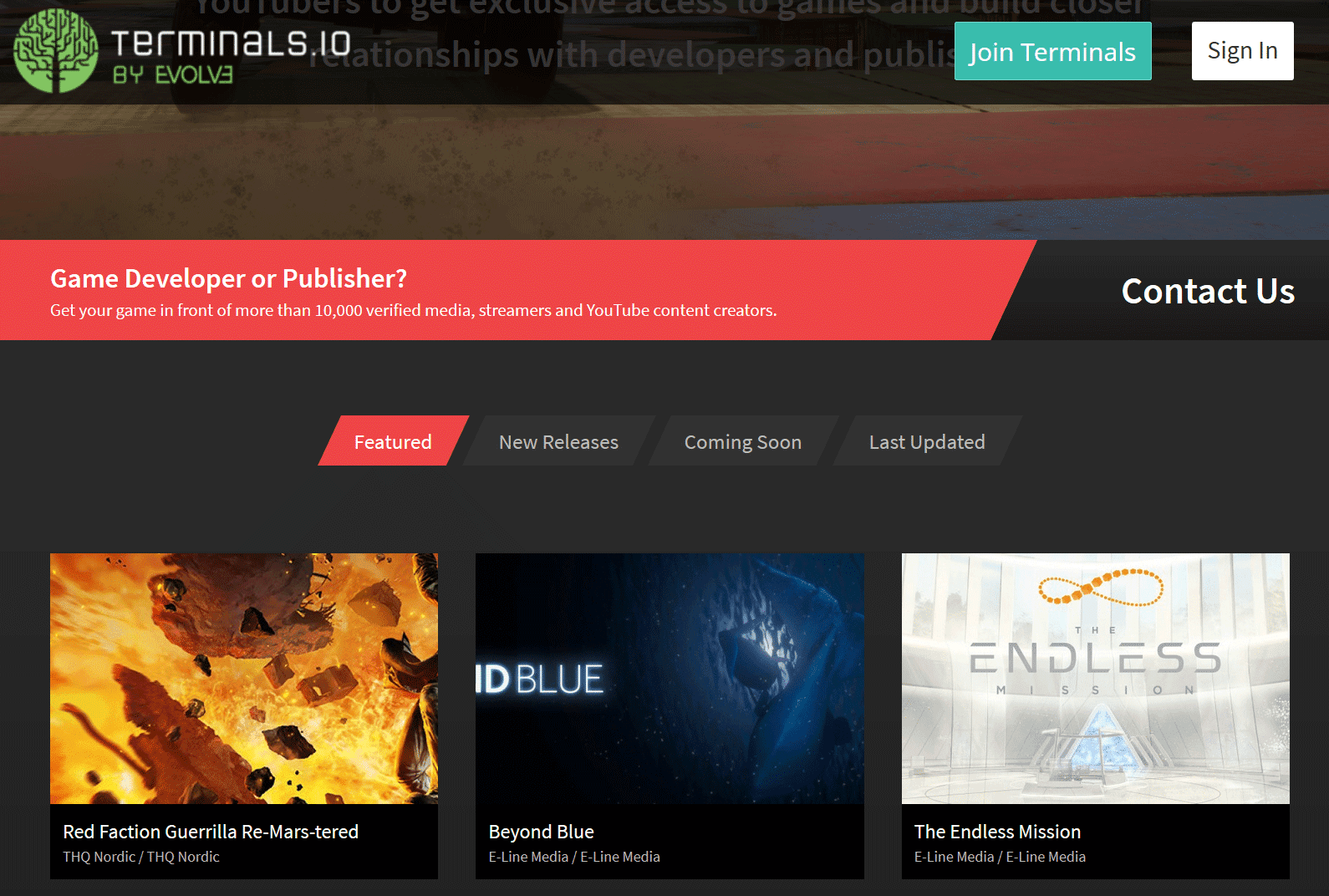
Terminals.io

A professional, streamlined key distribution and PR platform trusted by both indie and AAA developers. Link your Twitch account, keep your profile active, and you’ll start seeing relevant opportunities. With over 29,000 verified creators, it’s still one of the cleanest and most effective tools available in 2026.

Sign up for Terminals.io
terminals.io

Sponsorships and Affiliate Programs from Gaming Brands

Beyond free keys, these hardware, accessory, and gaming brands run active programs for streamers. Some are commission-based affiliates, others offer free gear or paid sponsorships. Many remain accessible to new Affiliates in 2026 if you have a clean channel, consistent schedule, and professional contact info.

  • AKRacing – Gaming chairs and accessories with strong commission rates
  • AVerMedia – Capture cards, mics, webcams, and streaming audio
  • Arozzi – Chairs, desks, eyewear, and microphones
  • Battle Beaver Customs – Custom controllers and parts
  • Cinch Gaming – Custom controllers
  • Corsair – Full range of streaming and gaming gear
  • DXRacer – Popular gaming chairs
  • FatalGrips – Controller grips, mousepads, and accessories
  • GT Omega – Racing-style chairs, cockpits, and wheel stands
  • Green Man Gaming – Digital game keys with affiliate commissions
  • HyperX – Headsets, keyboards, mice, and memory
  • Netgear – High-performance gaming routers
  • Razer – Laptops, peripherals, and full gaming ecosystems
  • Thermaltake – PC components, cooling, and accessories

Always visit the brand’s page directly for the latest requirements. Some have minimum thresholds, but many are still open to motivated new Affiliates who show genuine passion and professionalism.

Pro Tips to Actually Land Sponsorships as a New Affiliate

The platforms open the door, but these habits are what get brands reaching out to you:

  • Professional contact info is essential – Add a clear business email to your Twitch About section and every social bio. Brands move fast and won’t chase you down.
  • Create a simple media kit – A one-page overview with your average viewers, schedule, content style, and past highlights goes a long way.
  • Focus on real synergy – Sponsors want authentic fits. If your community loves competitive games, target controller or peripheral brands first.
  • Stay consistent and tag everything – Regular streams in the right categories and proper crediting help platforms reward you automatically.
  • Network proactively – Spot a perfect brand fit? Send a short, polite email to their PR or influencer contact. It still works incredibly well in 2026.

Every big streamer you watch today started exactly where you are right now. Sign up for a few of these platforms, request your first keys, and treat every stream like the opportunity it is. The sponsorships will start coming sooner than you expect. If you find a new platform that works great for Twitch Affiliates, drop it in the comments or message me. I’m always testing these tools and happy to share what actually delivers results.

Now go get signed up, start requesting keys, and build the sponsored future your channel deserves. You’ve got this.