Stop Doomscrolling Social Media - Build Your Own Gaming Blog and Watch Your Stream Grow
If you’re a game streamer who burns hours every single week scrolling Reddit threads, TikTok FYP, X timelines, Instagram Reels, YouTube Shorts, Discord servers, and every other feed chasing tips, drama, or that quick hit of validation, I’ve got a better trade for you. Take half that time and pour it into creating your own blog. Write about the exact games you’re playing on stream, share your real experiences, and build something that actually belongs to you instead of feeding someone else’s algorithm.
Social media is still where most streamers hang out. It’s addictive, it’s fast, and it feels like you’re staying connected. But endless consuming rarely builds anything lasting for your channel. A blog does. It gives you a permanent home base that ranks in Google, attracts players actively searching for help, and turns casual scrollers into loyal viewers who show up in your chat because they already trust your voice.
Why Owning a Blog Beats Pure Social Media Reliance in 2026
Live streaming shines for real-time energy and community, but it’s tough to own the long game when everything lives on rented land. Platforms change their algorithms overnight. Posts disappear from feeds in hours. Trends move on before you can blink. Meanwhile, people are still Googling “best beginner build for [game] 2026,” “how to fix this glitch,” or “is this meta still good?”
When your blog shows up in those searches, new players find you naturally. They read your guide, see your personality, and often click straight over to your live stream. It’s not about quitting social media completely. It’s about using it smarter while building an asset that works for you 24/7, even when you’re offline or between games.
Getting Started Is Still Free, Fast, and Stupidly Easy
Already have a Gmail account? Perfect. Blogger is still Google’s no-cost, beginner-friendly platform in 2026, and it remains one of the quickest ways for streamers to test the waters without spending a single dollar or learning complicated code.
- Use your existing Google account or create one in seconds.
- Head to blogger.com and sign in.
- Click “Create a New Blog.”
- Choose a clear title and a smart address - something like yourgamenameguides.blogspot.com that naturally includes the keywords players actually type into search.
- Pick a clean, mobile-friendly theme and hit publish. Done.
You can have a professional-looking site live in under ten minutes. No hosting bills, no plugins to update, no stress.
What to Write About (Content That Actually Attracts Real Viewers)
Keep every post tied directly to what you’re streaming right now. Your authentic playtime is your best material:
- Beginner-friendly guides and quick-start tips for the games you main.
- Deep-dive builds, strategies, and meta breakdowns you’ve tested live on stream.
- Honest reactions to new patches, balance changes, or big updates.
- Stream highlights with extra context - why that moment was clutch, funny, or a total disaster.
- Screenshot galleries of rare loot, hidden secrets, epic fails, or beautiful moments.
- Opinion pieces like “Why this underrated game deserves way more love” or “The biggest mistakes I see new players make every single stream.”
Write the way you talk to your regulars. Add plenty of screenshots, embed your best Twitch clips, and sprinkle in the exact phrases people search for. Over months you’ll build a growing library that keeps pulling in fresh eyes long after you hit publish.
Turn Your Blog Into a Live Stream Magnet
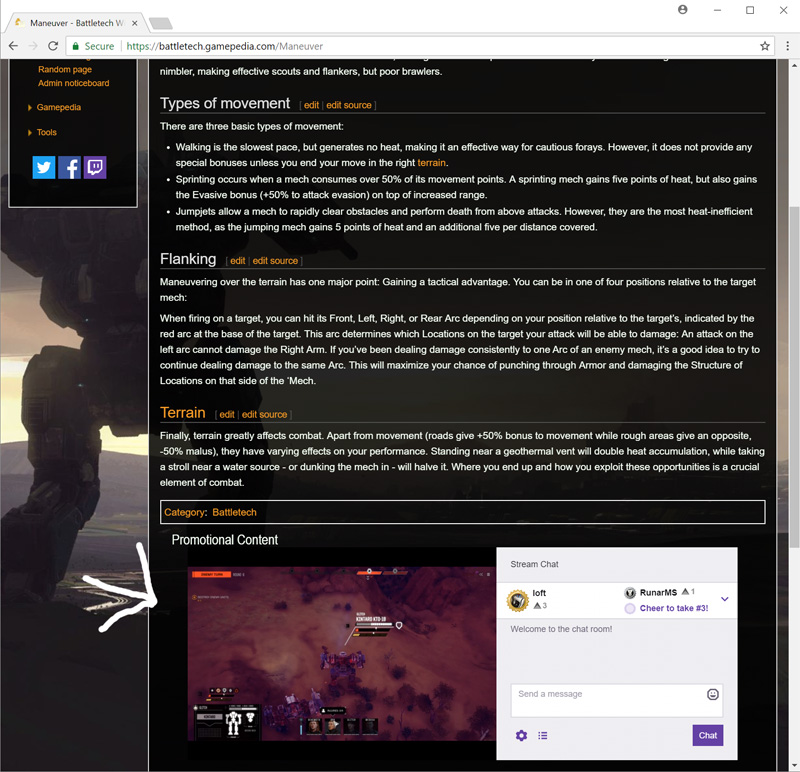
Here’s one of the smartest little moves you can make: embed your actual Twitch stream right in the sidebar. Someone lands on your latest guide, notices you’re live, and can jump straight into chat without losing momentum. It’s a seamless bridge that turns readers into active community members in seconds.
Twitch still makes the embed code dead simple. Grab the iframe from their developer tools, drop it into your blog layout, and you’re set. That tiny addition alone has helped countless streamers convert blog traffic into live viewers.
Get Your Blog Found by Search Engines (The Step Most People Skip)
Once your site is up, make sure the big search engines know you exist:
- Google Search Console: Go to search.google.com/search-console, add your blog, verify it (Blogger usually makes this automatic), and submit your sitemap so Google starts crawling your posts right away.
- Bing Webmaster Tools: Do the same quick process at bing.com/webmasters.
Request indexing whenever you publish something new. Consistent posting plus proper setup equals steady organic traffic that doesn’t depend on any social media algorithm.
Social Media Still Has a Place - But Your Blog Is the Foundation
Use Reddit, TikTok, X, Instagram, and the rest to share your newest blog posts, tease stream highlights, and stay in the conversation. Just don’t let them become the only place you create. Half your current scrolling time redirected to writing will give you something no platform can take away: real ownership and long-term growth.
Content Is Still King - Keep Shipping
You probably won’t see massive results overnight, but every single post adds another solid brick to your foundation. Stay consistent with the games you genuinely love, keep your voice real, and you’ll slowly turn random scrollers into people who show up to your streams week after week, raid you, and become part of your community.
The time you’re already spending on social media could be building something that grows with you for years. Why not start today? Your future self, your growing audience, and your stream numbers will thank you.