It is late at night. You are deep into a project or catching up on your own shows. Then you spot a juicy Twitch Drops campaign for your favorite game. The stream is running but the last thing you want is random gameplay audio blasting through your speakers. So you mute it. And you immediately wonder if you are still earning those rewards.
The short answer is yes. Muting the stream will not stop your Twitch Drops progress. But there are a few important details in 2026 that can quietly kill your progress if you are not careful. Let us walk through exactly how it all works so you can farm rewards the smart way without wasting time.
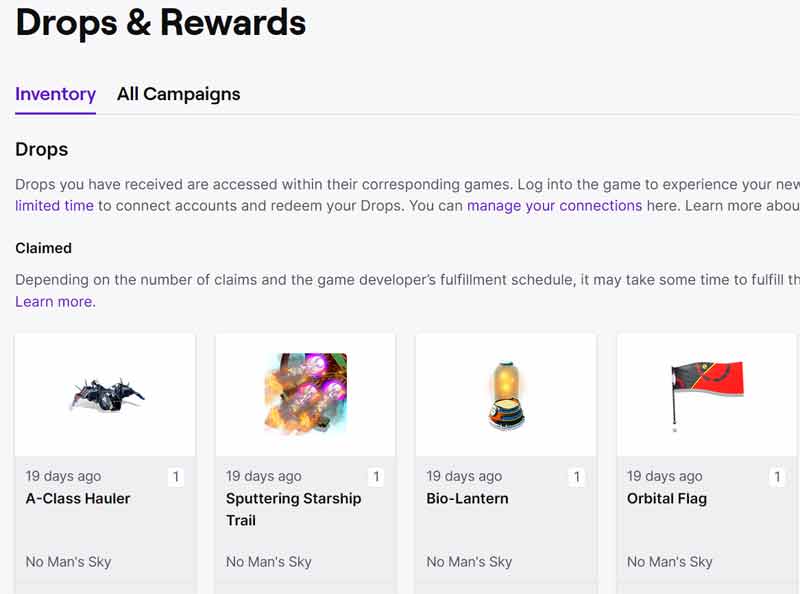
What Are Twitch Drops?
Twitch Drops are free in game rewards handed out by developers to reward loyal viewers. Skins, currency, battle pass boosts, exclusive cosmetics. You name it. They are a clever way for game studios to boost engagement. For players it is basically free loot just for watching streams.
As of 2026 Drops campaigns are running stronger than ever across hundreds of titles. The system is simpler than it used to be. But the rules around how progress is tracked have gotten stricter in some key areas.
How Twitch Drops Work in 2026
The process is straightforward once your accounts are linked.
- Connect your Twitch account to your game account through the Drops and Rewards page.
- Find streams in the game category that support drops.
- Watch live. The system tracks your time or specific missions automatically.
- Check progress in your Twitch profile under Drops and Rewards and claim when ready.
- The reward lands in your linked game account usually within minutes.
Important rule. You can only earn progress toward one channel at a time. Watching multiple streams simultaneously does not speed things up. It often slows them down or stops progress entirely.
Can You Get Twitch Drops While Muted?
Yes you can absolutely earn drops with the stream muted. Muting has no effect on the account connection or watch time tracking. As long as the live video is actively playing your progress keeps ticking whether muted or not.
However here is where things get tricky in practice. Many viewers run streams in background tabs while they work or game. That is usually fine except when it is not. Modern browsers especially Chrome have become very aggressive about pausing or slowing video in inactive or muted tabs to save resources. When that happens your drops progress stops cold.
The fix is simple. Keep the tab active and visible if possible. Or open the stream in its own dedicated browser window. Some users prefer Firefox or Brave for more reliable background playback. Or they use lightweight extensions that prevent auto pausing.
Pro Tips to Farm Drops Without Frustration
Want to maximize your rewards without headaches? Follow these updated best practices.
- Stick to one stream only. Open just a single drops supported channel. Running multiple tabs or browsers for different games or even the same game will not give you extra progress. And it can actually pause or break tracking on all of them.
- Keep the stream truly active. Background tabs are convenient. But if the video pauses which happens more often with muted streams your drops stop accumulating. Make the tab your active window or split it into a separate browser window so it stays alive.
- Mute smartly. Muting the stream itself is fine. But if your browser starts pausing the video when you switch tabs try muting the entire tab instead. This often keeps playback running smoothly.
- Use the right setup for multitasking. Second monitor? Perfect. Keep the stream visible there. On a single screen? Shrink the window and keep it selected. Mobile app works great too for passive watching.
- Check progress often. Refresh the drops page regularly. If progress is not moving switch to a new channel or restart your browser. Small hiccups happen more than you would think.
Real talk. Plenty of players still successfully farm full battle passes or rare cosmetics by leaving a single muted stream running while they work. Just avoid the multiple tab trap that many guides still recommend. It is outdated and can cost you rewards.
Final Thoughts: Mute Confidently and Claim Your Rewards
Twitch Drops are one of the best free perks on the platform. And you do not have to blast stream audio to take advantage of them. Mute away. Stay focused on what matters to you. And let the rewards roll in. Just make sure you are only watching one active stream and that the video is actually playing.
Next time a campaign pops up link your accounts. Pick one solid channel. Hit play. Mute if you want. And get back to your day. Your in game inventory will thank you.
Happy farming. And here is to legendary drops landing in your account with zero extra noise.

This is a really helpful article for anyone who enjoys watching Twitch streams and is interested in earning Twitch Drops. It's great to know that muting the stream won't affect your ability to receive drops as long as you meet the requirements. The explanation of how Twitch Drops work is clear and concise, and the information about some streams requiring viewers to have the stream unmuted is a helpful reminder to keep that in mind. Overall, this article provides valuable information that will help viewers get the most out of their Twitch experience.
ReplyDelete