Atlas Launch delayed, but the hype meter was on overdrive
During the failed launch of Atlas on Dec 19, we saw over 210,000 viewers on Twitch waiting to see what the game is all about. For a game with very limited information other then some screenshots and 2 trailers, I find the hype meter really high.
Some of the biggest streamers on Twitch all switched from their regular scheduled formats to showcase this new game. Here is a look at the game directory on Twitch with some thumbnails of majority of the streamers.
Judging by the interest in viewers and of streamers, this game may do really well if the next launch window isn't delayed again. What makes this game different from other mmo's is how they are saying its going to be similar to EVE Online with having a majority of players on a single shard. If they can pull that off, with ARK like mechanics and trading economies from EVE, this maybe one of the best games for streamers to get into for regular sessions.
Check out our new PlayAtlas wiki website being developed.
That being said, if it gets into EVE Online mechanics with full loot and ship loss it may turn off a lot of players. All of it depends on the time it takes to create ships and gear. If its very easy to create ships and gear then that also makes things alittle gimmicky. Since its on a single shard type of server setup, stream sniping is going to be a issue for streamers.
12/21/2018 - Latest Update from community manager states they will be allowing some streamers into the game before launch. Here is the discord screenshot of the full statement.
Overall this entire roll out has been poorly managed for the game in my opinion. A lot of things should of been setup and handled better way before launch date(s).
How to get free game keys sponsor for your twitch stream!
Unlock Free Game Keys and Sponsorships: The Ultimate 2026 Guide for Streamers and Content Creators
As a streamer or YouTube creator, scoring free game keys isn't just a nice perk - it's a powerful way to keep your content fresh, engage your audience, and open doors to bigger opportunities with game developers. In 2026, the competition is fiercer than ever, but the right platforms make it easier for legitimate creators to connect directly with publishers who are eager for authentic coverage.
These specialized services act as matchmakers. They verify your channels by linking your Twitch, YouTube, TikTok, and social accounts, pulling real data on your audience size, engagement, and content history. This screening process helps cut out fake accounts and ensures developers are sending keys to creators who will actually deliver value. The more you stream, post, and grow your following, the more opportunities come your way.
Here are the key platforms I rely on regularly to fuel my Twitch channel with new titles. I've updated this list with the latest info for 2026, including some important platform consolidations.
1. Keymailer.co
Keymailer remains one of the leading game key distribution platforms, connecting over 55,000 accredited gaming influencers with publishers and developers. It's perfect for discovering new releases, requesting keys, and even participating in creator programs. Publishers list their games, and creators like you can browse and apply based on your niche.
Pro tip: Get accredited to stand out - it signals to publishers that you're an active, genuine creator.
2. Noiz.gg
Noiz.gg offers key distribution along with fun monetization opportunities through quests and campaigns. It's a vibrant platform that helps creators earn while engaging their communities with brand partnerships in gaming and entertainment.
3. Terminals.io
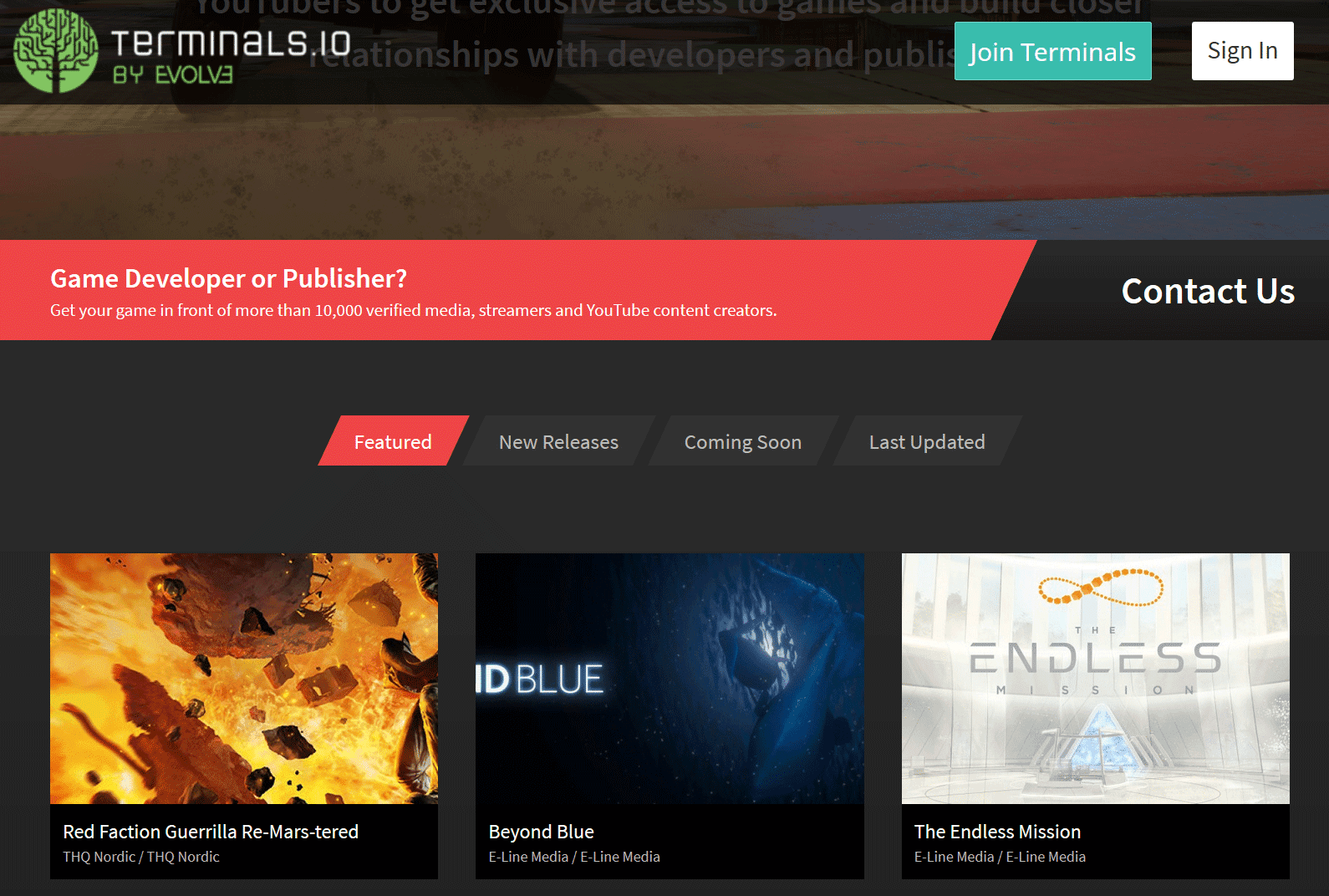
Terminals.io is a robust key distribution and PR platform with access to over 29,000 verified media, streamers, and YouTubers. Developers use it to get games in front of the right eyes efficiently, while creators can request keys and stay updated on upcoming releases.
4. Gamesight.io
Gamesight.io excels in targeted key distribution and creator programs. They've paid out millions to creators and distributed hundreds of thousands of keys. It's ideal for building relationships with AAA and indie studios through structured campaigns.
5. Xsolla Partner Network
Xsolla's Partner Network is performance-driven, offering game keys, affiliate programs, and sponsorship opportunities. It's great for creators looking to monetize through promotions and earn while playing. The platform has grown even stronger through strategic integrations.
Note: Arsenal.gg and Rainmaker.gg Integration
Arsenal.gg evolved into Rainmaker.gg and has now been fully integrated into the Xsolla Partner Network. This consolidation brings together analytics, key distribution, and powerful creator tools under one unified platform. If you were using Arsenal or Rainmaker before, your accounts and opportunities are now managed seamlessly through Xsolla.
Pro Tips to Maximize Your Success
- Complete your profile thoroughly: Link all your channels and socials for accurate verification and better game matching.
- Be selective and consistent: Request games that fit your audience and deliver high-quality streams or videos promptly.
- Track your metrics: Many platforms provide analytics - use them to understand what works and grow your channel.
- Build relationships: Positive interactions can lead to repeat opportunities and exclusive sponsorships.
These platforms have helped me tremendously in keeping my content pipeline full. If you're serious about growing as a content creator, sign up for a few and start exploring what's available today.
Know of any other great services not listed here? Drop a comment below or reach out - I'm always on the lookout for new ways to support the streaming community!
Android App - Browse games by number of viewers
So Twitch by default it seems has a preference setting that says the following; "Language Ranking" - Show me streams where a large portion of the viewers share my language first.
This setting makes games and streamers of your language have higher placement on the directory listing sections on the app. If you want to have it so its all sorted by viewer numbers and no language, you will have to turn this setting off in the preferences.
Steps to get to Preferences, since it seems alittle cryptic to finding this settings option.
Login to the Twitch App
On the Top Right corner there is a Icon for your profile.
Click on that, then scroll up to see the Cogwheel.

Click on the cogwheel, select settings
Then click on Preferences and move the language ranking setting to the off position.
Tags Guide
The new tagging system is now live as of September 26, 2018 on Twitch.tv. Tags can be used to categorize channels with additional details. To add tags to your channel go to the dashboard and check in the "Stream Information" for the tags section.

Search for the tag that best fits your channel, you can have up to 5 different tags. Your language setting is also included in the tagging system. Once you have added in all the tags for your channel, press update information button.
All the various tags will be available as filter options in the directory pages. The tagging system will also be used in personalized recommendation section(s) to show more similar streams based on past history and tag listings. For instance, if you watch channels that are tagged as 'PvE', the recommendation sections will show more of those types of channels.
Notable Changes
The gaming directory now has unique tags dedicated to genres.
List of Game Directory Genres:
- Action
- Adventure
- Adventure Game
- Battle Royale
- Card & Board Game
- Compilation
- Creative
- Driving
- Driving/Racing Game
- Educational Game
- Fighting
- Flight Simulator
- FPS
- Gambling Game
- Horror
- IRL
- MMORPG
- MOBA
- Non-gaming
- Pinball
- Platformer
- Puzzle
- Rhythm & Music Game
- Roguelike
- RPG
- RTS
- Shoot 'Em Up
- Shooter
- Simulation
- Sports
- Strategy
The POPULAR listing is now called Live Channels, this still includes 'ReRun' streams.

If you are looking to search for specific languages, you can either type it in the filter or switch the 'Showing' section to 'Live Channels' and find it in the drop down list.

Creative Section changes

The creative section has changed, "Creative" is now a genre with tags that are searchable.
- Music & Performing Arts
- Art
- Food & Drink
- Makers & Crafting
- Beauty & Body Art

The IRL section has changed, "IRL" is now a genre with tags that are searchable.
- Just Chatting
- Music & Performing Arts
- Talk Shows & Podcasts
- ASMR
- Travel & Outdoors
- Food & Drink
- Makers & Crafting
- Science & Technology
- Beauty & Body Art
- Special Events
- Sports & Fitness
Update 4/18/2020
Make sure to use all 5 tag slots for your stream because Twitch is using certain tags for their sitemap indexing pages that search engines crawl and then index into their directories. This is sadly going to only benefit the top viewed vod and the most live concurrent channels but you maybe lucky with a smaller channel to still be index'ed in time to time because many top end streamers are to lazy to add in tags.
Here is a list of the current specific tags used in Twitch's sitemap index that you should be using.
| Channels | VODS |
| 100 | 100 |
| 12 Hour Challenge | |
| Achievement Hunting | Achievement Hunting |
| AMA | AMA |
| Analysis | |
| Animals | Animals |
| Animation | |
| Anime | Anime |
| Any | Any |
| Arena | |
| Auditory ASMR | |
| Backseat Gaming Allowed | Backseat Gaming Allowed |
| Basketball | Basketball |
| Beginner Players | Beginner Players |
| Blind Playthrough | Blind Playthrough |
| Cash Game | |
| Casual Playthrough | |
| Celeb | Celeb |
| Challenge Run | Challenge Run |
| Charity | Charity |
| Closed Captions | |
| Coaching | Coaching |
| Competitive | Competitive |
| Cooking | Cooking |
| Cooperative | Cooperative |
| Cosplay | Cosplay |
| Digital Art | |
| DJ | DJ |
| Drawing | Drawing |
| Duos | Duos |
| Early Access Play | Early Access Play |
| Educational | Educational |
| Electronic Music | Electronic Music |
| End Game | |
| Epic Level Characters | |
| Esports | Esports |
| EU Server | EU Server |
| Evil Characters | Evil Characters |
| Exploration | Exploration |
| Family Friendly | Family Friendly |
| Farming | Farming |
| Fashion | |
| Finance | |
| First Playthrough | First Playthrough |
| Game Show | Game Show |
| Gaming News | Gaming News |
| Hard Mode | Hard Mode |
| Hip Hop Music | Hip Hop Music |
| Illustration | |
| Improv | |
| League | League |
| Let's Play | Let's Play |
| Leveling | LGBTQIA |
| LGBTQIA | |
| Live Vlogging | Live Vlogging |
| Marathon | Marathon |
| Match Commentary | Match Commentary |
| Meme Runs | Meme Runs |
| Mental Health | Mental Health |
| Mindfulness | Mindfulness |
| Modded | Modded |
| Mode Battle Royale | |
| Mode Survival | Mode Survival |
| Multiplayer | Multiplayer |
| Music Performance | Music Performance |
| Music Production | Music Production |
| NA Server | NA Server |
| News | News |
| No Backseat Gaming | No Backseat Gaming |
| No Spoilers | No Spoilers |
| Party Game | Party Game |
| PB Attempts | PB Attempts |
| Permadeath | |
| Playing with Viewers | Playing with Viewers |
| Pro Fortnite | Pro Fortnite |
| Pro Hearthstone | Pro Hearthstone |
| PvE | PvE |
| PvP | PvP |
| Racing | Racing |
| Radio | Radio |
| Ranked | Ranked |
| Retro | |
| Roleplay | Roleplay |
| Singing | Singing |
| Singleplayer | Singleplayer |
| Soccer | Soccer |
| Social Eating | Social Eating |
| Solos | Solos |
| Speedrun | Speedrun |
| Squads | Squads |
| Standup Comedy | Standup Comedy |
| Strength Training | Strength Training |
| Tournament | Tournament |
| Tutorial | |
| Twitch Stream Aid | Twitch Stream Aid |
| Visual ASMR | Visual ASMR |
| Voice Acting | Voice Acting |
| VR | VR |
| Warming Up | Warming Up |
| WR Attempts |
Twitch appears to have a special tag called "Celeb" which only a couple channels appear to be enabled for which include the following: xqcow, drdisrespect, nickmercs, timthetatman, lirik. Some other tags in the above list may also be not accessible, I do not have the time to check all of them.
Another issue to be noted on is that you can only set the tags before your stream or during your stream. Currently you can not go into your VODS and switch tags. VODS take the tags that were made during the stream session. I hope they allow VOD tagging to be enabled in the future.
When external Influencers start to censor!
As reported a couple months ago on this blog, one of the biggest external influencers which is OWNED BY TWITCH has been promoting twitch streams on their wiki network. The more popular a wiki is on their network, the more traffic and embedded viewership it generates for Twitch streamers.
Some of the most popular Wiki's on that network include but are not limited to the following;
- Minecraft
- Terraria
- Ark
Now this sounds like great for getting additional exposure for your stream right? Yup it is and I wrote about that here - Free Channel Traffic / Free Views
And here is how the censorship starts due to complaints from streamers vs streamers.
My channel broadcasts 24/7 using the rerun feature that is provided by Twitch. I like to play sandbox games on my stream and sometimes do play through runs of games. I broadcasting each day for around 5 to 8 hours then run reruns until I stream again the next day. A month ago, I was streaming Terraria which is one of the games that is being VERY LARGELY influenced by this 3rd party. A majority of the streamers who regularly stream that game do not have the reach in views that my channel generates daily. So what happen was as soon as I took the top spot in the directory, a huge chuck of the 3rd party embedding traffic was being sent to my channel which made it very difficult for other channels to overtake the top slot on the directory. The "free channel traffic" was gone for them and they didnt like it at all.
Without the 3rd party embedding support for Terraria, its overall viewership is alot lower. Estimated additional concurrent viewers from 3rd party is 400 - 1500+ depending on time of day. Many people who stream this game only do it because of that additional embedding traffic, some use it to launchpad into other games. So once that was gone, they started to campaign against my channel. One of them talked negativity about my channel on their stream, which lead to trolling in my chat from their viewbase.
At some point they contacted the 3rd party to complain about my channel. The 3rd party agreed with the complaints and censored my channel from being listed + promoted on their wiki.
I messaged the 3rd party myself to see exactly what the reason was for not being listed anymore.
Here was the responses:
- That channel was banned from our wiki after it was brought to our
attention that they were exploiting the system, as documented in a blog.
- So I guess they didnt like how I told people about how they are influencing/sending tons of traffic to certain games on twitch.... Is this suppose to be TOP SECRET? Who knows ...I replied and asked for more clarification.
- The 24/7 streaming is the issue. Once you've grabbed the unit, you don't give it up because you fill up reruns. The point of the embedded unit is to promote LIVE content, not reruns.
- They made up a rule that no one knows about, its not listed anywhere, how is anyone suppose to know? I replied, since doing reRuns until the next time I stream was the issue, I said I can stop doing that and asked to be unbanned.
- You will not be unbanned. The embed is for promoting the games and platform, not for streamers to game for revenue.
- This is a interesting reply, note the "Streamers to game for revenue". I didnt know streaming on twitch was a hobby, this person's mindset is very poor.

This person "HLAquarius" was monitoring the situation and ran to whisper me, but then for some odd reason they delete their username a couple days later? Hmm?
What makes this censorship stupid is how the Twitch API gives details if channels are in ReRun mode or Live, if the 3rd party doesn't want to promote or list a streamer in rerun mode, they can easily code it to not do that instead of censoring due to complaints from streamers.
And now I recently started to stream No Man's Sky again, and guess what happened? Another complaint and tada censored on another wiki from this Twitch owned 3rd party.
Let me finish up with some words of advice, if you are a streamer do not become depended on any 3rd party traffic or embedding, one day it may help get more exposure and the next day it maybe gone. Build your own content, wikis, do your own embedding and promotions - be in control!
What is launch padding for streamers?
Launch padding is basically using specific games with high 3rd party embedding traffic to gain higher directory placement in new or more popular games.
What are some games that are good for launch padding?As of 8/30/2018 the day of this post, the following games in my opinion have the best launch padding potential.
- Terraria
- Ark
- Minecraft
Or they stream game #1 until they grab the embedding traffic spike, then switch to game #2. A good example would be some people streaming Terraria, grabbing the embedding traffic and then switching to other games that have 'Twitch Drop' enabled like Warframe which further boosts numbers depending on directory placement.
If you have a big enough community, you can leverage this to possibly help with getting more exposure on the platform. But always keep in mind, 3rd party traffic is not something you control, it can end at any given moment.
Viewers in common analytics
Which Channels Share Viewers With Yours on Twitch?
Ever wondered exactly who else your audience loves watching when they are not tuned into your stream? One simple glance inside your Creator Dashboard can hand you that answer on a silver platter. The Channels with Viewers in Common panel quietly ranks the top streamers whose audiences overlap most with yours. It has quietly become one of the most practical tools Twitch gives creators, and it is still right there in 2026, delivering fresh insights every time you check it.
You will find it by heading to your Creator Dashboard, clicking Analytics on the left sidebar, and then selecting the Channel section. The panel usually shows your top five overlaps, ranked by shared audience size. Twitch blurs the names in any public screenshots for privacy, but when you are logged in the real channels appear. It is simple, powerful, and surprisingly revealing once you start using it regularly.
How to Find It Yourself
Log in, go straight to Analytics, choose Channel, and scroll down. That is it. The data refreshes based on recent viewer activity, so checking it after bigger streams gives you the clearest picture. It is quick, and the insights start paying off the moment you begin acting on them.
Turning Overlap Into Real Collaboration Opportunities
Treat this list like your personal networking map. When your viewers already enjoy another streamer, you have a built in foundation for something great. Send a friendly message to those channels. Mention a specific stream you liked or a shared game you both play. Suggest a co stream, a raid swap, or even a simple joint game night. Many creators have turned these overlaps into regular collabs that boost everyone involved.
You can also add overlapping channels to your auto host list so your community keeps discovering similar content even when you are offline. In a crowded platform, these smart connections often create faster and more natural growth than chasing random shoutouts ever could.
Reading the Room and Spotting Trouble Early
There is another side to this data that many experienced streamers rely on quietly. If your chat suddenly fills with oddly coordinated comments or unexplained negativity, check the overlap list. It can point you straight to the source. In my own case, it clearly showed a competitive mindset streamer who was directing their audience toward my channel with negativity. Knowing that helped me respond calmly instead of wondering why certain chatter felt off.
This awareness lets you protect your community vibe. You can reinforce your own positive rules or simply focus on the fans who are there for the right reasons.
Unlocking Deeper Audience Insights
Beyond collabs and drama detection, the panel offers a window into your viewers tastes that you might not have considered. Take a look at the categories those overlapping channels stream. Are they heavy into the same games as you, or do they branch into something fresh? This can inspire new content ideas. Maybe your audience loves variety streams on certain days or enjoys watching a different genre entirely when they are not with you. Use that to plan themed nights or test new games your people are already watching elsewhere.
Smarter Raid and Promotion Strategies
Use the data to choose raid targets with confidence. Raiding a channel with high overlap means your viewers are more likely to stick around and enjoy the new stream. It creates smoother transitions and higher retention. On the flip side, you can see which bigger channels share your audience and start building relationships that might lead to them raiding you back. Small consistent raids to the right people can compound into real growth over time.
Building a Stronger Network and Community Events
Think bigger than one off collabs. Group several overlapping channels together for community events like watch parties, charity streams, or multiplayer tournaments. Reach out to a few at once and propose something fun that benefits everyone. You can also join or create Discord groups with these streamers to share tips and cross promote. Streamers who treat this data as a relationship builder end up with stronger support systems and more loyal combined audiences.
Refining Your Schedule and Content Calendar
Pay attention to when those overlapping audiences are most active. If you notice your viewers are watching certain channels at specific times, you can adjust your own schedule to avoid conflicts or fill gaps. Maybe stream right after a popular overlapping channel ends to catch the flow of viewers looking for more. Or test different days and see how the overlap list shifts. This kind of data driven scheduling often leads to steadier viewer numbers week after week.
Monitoring Trends and Staying Ahead
Watch how the list changes over months. If new channels start appearing because your audience is branching into fresh games or trends, you can jump on those early. It is like having a quiet heads up on what your community is interested in next. You can experiment with those titles or styles before they become mainstream in your niche and keep your content feeling current and exciting.
Practical Steps to Get Started Right Away
Make checking this panel a weekly habit after your bigger streams. Here are a few easy ways to turn the data into action:
- Watch a couple streams from your top overlaps first so any outreach feels genuine and personal.
- Start small with a raid or quick shoutout before suggesting full collabs.
- Keep messages warm and specific. Mention something you actually enjoy about their content.
- Track how your overlaps change after you try new things so you can see what is working.
At the end of the day, this one panel is not just about numbers. It is about understanding the people who choose to spend their time with you and finding smart ways to grow alongside them. Next time you open the dashboard, take that extra minute to review the list. You might discover your next great collaboration, spot a trend early, or finally understand exactly where certain chat energy is coming from. Either way, it is information you can put to good use immediately.